

In the ever-changing world of WordPress, staying updated with the latest plugins can make a significant difference in your website’s performance and user experience. Whether you’re a developer or a site owner looking to optimize digital presence, having the right plugins is important to achieve results.
We’ve made it easy for you! In this article, we have made a list of the top 10 must-have WordPress plugins. From boosting SEO and security to improving site speed and user engagement, these plugins will help you stay ahead in the competitive online space. Explore our top picks and transform your WordPress site into a powerhouse of efficiency and excellence.
1. Rank Math

Rank Math is a search engine optimization (SEO) plugin using AI for keyword identification and post optimization. It provides comprehensive SEO analysis across your entire site, flagging content issues for improvement.
With Rank Math, you can use different types of structured data to improve how your website shows up in search results, adding more details like ratings or images. From books and events to recipes and FAQs, you can implement schema markups effectively.
In its free version, there are five AI credits for keyword suggestions. Additional credits can be purchased to further enhance your SEO strategy and maximize visibility online.
Benefits
- Keep track of your website ranking in SERPs.
- Rank Math improves your SEO in two key ways: the post SEO analyzer optimizes individual posts, while the SEO structure analyzer improves your site’s overall structure.
- Keeps you updated about the progress of your site in terms of SEO and its movement in the SERPs.
- Rank Math integrates with Google Search Console and shows search analytics, sitemap status, and crawl errors, aiding SEO optimization and error prevention.
2. GutenKit

GutenKit is a WordPress-native page builder plugin that extends the capabilities of the WordPress block editor, making it easier to create and customize websites without writing code. It offers 65+ page builder blocks, 20+ versatile modules, and 900+ pre-designed templates that help you build professional-looking pages directly within the native WordPress editor.
With GutenKit, you can customize your website layout, add interactive elements, and create different types of content using a simple drag-and-drop interface. It is a useful option for users who want more design flexibility while still working with the lightweight WordPress editor.
Benefits
- Includes responsive breakpoints for mobile, tablet, and desktop, along with a Mega Menu Builder, and a Query Loop Builder for creating dynamic websites.
- Provides a wide range of advanced blocks, modules, and pre-designed patterns to create professional website sections faster.
- Offers flexible layout and styling options to build responsive, visually appealing pages without writing custom code.
- Adds interactive elements such as sliders, tabs, accordions, and other dynamic content to enhance website functionality.
- Works directly with the WordPress block editor, making it easy to customize and design WordPress websites within a familiar editing environment.
3. Download Plugins and Themes in ZIP from WP
Dashboard
Download Plugins and Themes from Dashboard is a free WordPress plugin that lets you easily download any installed plugin or theme directly from your WordPress dashboard—no FTP or cPanel access required.
Benefits
- One-click downloads: Adds a “Download” button next to each plugin and theme.
- Bulk download: Download all plugins or themes at once in a single ZIP file.
- Custom file naming: Option to include version number and main folder inside the ZIP.
- Advanced settings: Choose compression method (ZipArchive or PclZip) and more.
4. Product Import Export for WooCommerce

Product Import Export for WooCommerce by WebToffee is a dedicated WooCommerce product import export plugin that lets store owners bulk manage their product catalog using CSV and XML files. Whether you are migrating from another platform, syncing inventory with suppliers, or updating prices across hundreds of products, this plugin handles it without manual entry.
It supports all WooCommerce product types, simple, variable, grouped, and external – along with product attributes, categories, images, and custom meta fields. A built-in column mapping tool ensures your existing spreadsheet structure works directly without reformatting, and a scheduling feature allows recurring imports and exports to run automatically.
Benefits
- Import and export all WooCommerce product types, including variable products with all attribute combinations.
- Map any spreadsheet column to the corresponding WooCommerce field using the drag-and-drop column mapper.
- Schedule automatic imports and exports to keep inventory synced with suppliers or external systems.
- Filter exports by product category, status, or stock level to export only what you need.
- Compatible with WPML, Polylang, and ACF for multilingual and custom field support.
5. Product Feed for WooCommerce

WebToffee Product Feed plugin is a dedicated WooCommerce product feed plugin that lets store owners generate and manage unlimited product feeds across 20+ sales channels from a single dashboard. Whether you are listing on Google Shopping, syncing a catalog to Facebook and Instagram, or pushing products to TikTok, Pinterest, and Bing, this plugin builds optimized feeds without manual file editing.
This Product feed plugin supports all major channels and file formats (XML, CSV, XLSX, TXT), along with attribute and category mapping, advanced product filtering, and additional product fields like Brand, GTIN, and MPN that WooCommerce does not include by default. An auto-refresh feature keeps pricing and stock current, and built-in scheduling runs feed updates automatically via WordPress Cron or Server Cron.
Benefits
- Map product attributes and categories to each channel, add fields like Brand, GTIN, and MPN, with multilingual and multicurrency support via WPML, TranslatePress, and WCML.
- Generate unlimited feeds for 20+ channels including Google Shopping, Facebook, Instagram, TikTok, Pinterest, and Bing.
- Sync your WooCommerce catalog directly with Facebook and Instagram Shops through Meta Business Suite, keeping price, stock, and images up to date automatically.
- Schedule auto-refresh of feeds at daily, weekly, monthly, or custom intervals using WordPress Cron or Server Cron.
- Apply advanced filters and conditions to include or exclude products by category, price, or attribute when generating a feed.
6. WordPress Users & WooCommerce Customers Import Export
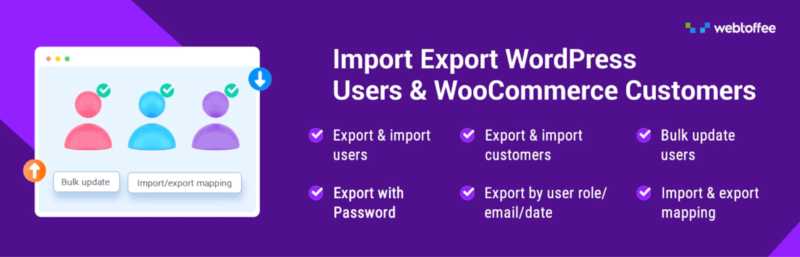
Import Export WordPress Users by WebToffee is a dedicated WordPress user import export plugin that lets site owners bulk migrate, back up, and update user and customer records using CSV, XML, TSV, and Excel files. Whether you are moving users to a new site, importing customers from another platform, or updating roles across thousands of accounts, this plugin handles it without manual entry.
This User import export plugin supports WordPress users and WooCommerce customers along with custom user roles, metadata, and all WooCommerce billing and shipping fields. Passwords are transferred in their original hashed format so migrated users can log in without resetting anything, and a scheduling feature allows recurring imports and exports to run automatically over FTP/SFTP.
Benefits
- Import and export WordPress users and WooCommerce customers across sites using CSV, XML, TSV, and Excel files.
- Migrate users with their hashed passwords intact so they can log in to the new site without a reset.
- Schedule automatic imports and exports over FTP/SFTP, and bulk-update existing user data during import.
- Filter exports by user role, registration date, or email to export only the records you need, including guest users.
- Compatible with Ultimate Member, BuddyPress, myCred, and WooCommerce Memberships for importing and exporting custom user metadata.
6. WooCommerce Product Options

WooCommerce Product Options makes it easy to sell customizable products by adding extra option fields, conditional logic, dynamic pricing, and live product previews. Customers can personalize their purchases while instantly seeing how their selections affect the final price.
The plugin is ideal for businesses selling made-to-order or personalized products, such as custom cakes, gifts, apparel, and merchandise. By offering a simple and interactive customization process, it improves the shopping experience, encourages larger purchases, and can help increase both conversions and average order value.
Benefits
- Add unlimited product options using a wide range of field types.
- Apply flexible pricing with fixed, percentage-based, or custom price adjustments.
- Use conditional logic to display only the options that are relevant to each customer.
- Show live price updates as customers customize their products.
- Increase revenue by offering product add-ons and upsell options during the buying process.
7. Document Library Pro

Document Library Pro is a WordPress plugin that makes it easy to create and manage searchable document libraries. It helps you organize and display files such as manuals, policies, reports, research papers, and other downloadable resources in a clean, user-friendly layout.
The plugin allows you to upload, categorize, and present documents with built-in search, sorting, and filtering features, making it easy for visitors to find what they need. Suitable for businesses, schools, nonprofits, government organizations, and membership sites, Document Library Pro offers flexible customization options and a simple setup process, allowing you to build a professional document library without any coding.
Benefits
- Makes it easy for visitors to quickly find documents with built-in search, sorting, and filtering.
- Organizes files into a clean, professional, and easy-to-navigate library.
- Supports a wide range of document types, including PDFs, manuals, reports, policies, and research papers.
- Requires no coding, making setup and customization simple for any WordPress user.
- Improves the user experience by providing fast, organized access to downloadable resources.
7. Translate Press

TranslatePress is a WordPress plugin that enables you to translate websites into multiple languages. It translates content directly from the front end of your site. The plugin supports the translation of all types of content, including posts, pages, custom post types, and widgets.
TranslatePress also offers both manual and automatic translation options, integrating with services like Google Translate and DeepL.
Benefits
- Allows easy visual translation from the front end.
- Generates SEO-friendly URLs for each language.
- Compatible with WooCommerce for translating e-commerce sites.
- Supports an unlimited number of languages.
8. Spectra

Spectra, formerly known as Ultimate Addons for Gutenberg, is a WordPress plugin designed to extend the capabilities of the Gutenberg block editor.
It provides a wide range of customizable blocks and features that enhance the functionality and design of WordPress websites. With Spectra, you can create more dynamic and visually appealing content without needing to write custom code.
Benefits
- Provides blocks for advanced headings, multi-buttons, testimonials, post grids, and more.
- Social blocks like Instagram feeds, blockquotes, and testimonials.
- Content blocks such as Google Maps, tabs, and price lists.
- Custom CSS option for each block.
9. Jetpack

Jetpack is one of the best free plugins for WordPress, offering an all-in-one security, optimization, and marketing plugin developed by Automattic.
You can manage your site’s security and performance from the same place with Jetpack. You won’t need additional WordPress plugins to protect and optimize your site.
You can use Jetpack to stop trial-and-error attacks, optimize images, suspend not-so-important scripts to improve loading times, track your traffic, and more.
Benefits
- Auto-publish blog posts and products to social media to connect to Facebook, Tumblr, Mastodon, and LinkedIn.
- Offers advanced site stats and analytics to help you understand your audience.
- Downtime monitoring so that you know when your site is unavailable.
- Provides protection to prevent hackers from hacking your site.
10. The Events Calendar

The Events Calendar plugin is a tool that allows you to create and manage event listings with ease, offering features such as event scheduling, venue management, and ticketing integration.
This plugin also offers an upcoming events list widget. This way, you can keep your followers up to date through your site.To create recurring events and manage ticket sales, consider upgrading to the pro version or purchasing additional add-ons.
Benefits
- Allow users to search for particular events.
- Organize events with tags and categories.
- Enhances functionality with pro version and add-ons.
- Offers multiple display options, such as calendar and list views.
11. WooCommerce

WooCommerce is a free, open-source WordPress plugin that enables website owners to transform their WordPress websites into fully functional e-commerce stores. Open-source means that you have full control and ownership of the content and data of your site.
It is a free plugin, but it offers optional paid upgrades and support for enhanced commercial features.
Developed by Automattic, the same company behind WordPress.com and Jetpack, WooCommerce is widely renowned as one of the most popular e-commerce platforms globally.
Benefits
- Flexible e-commerce platform for selling physical, digital, and subscription-based products.
- Built-in analytics for tracking sales, customer behavior, and performance metrics.
- Secure payments through credit cards, mobile wallets, and bank transfers.
- Offers designs and functionalities for different types of online stores.
12. SaveTo Wishlist
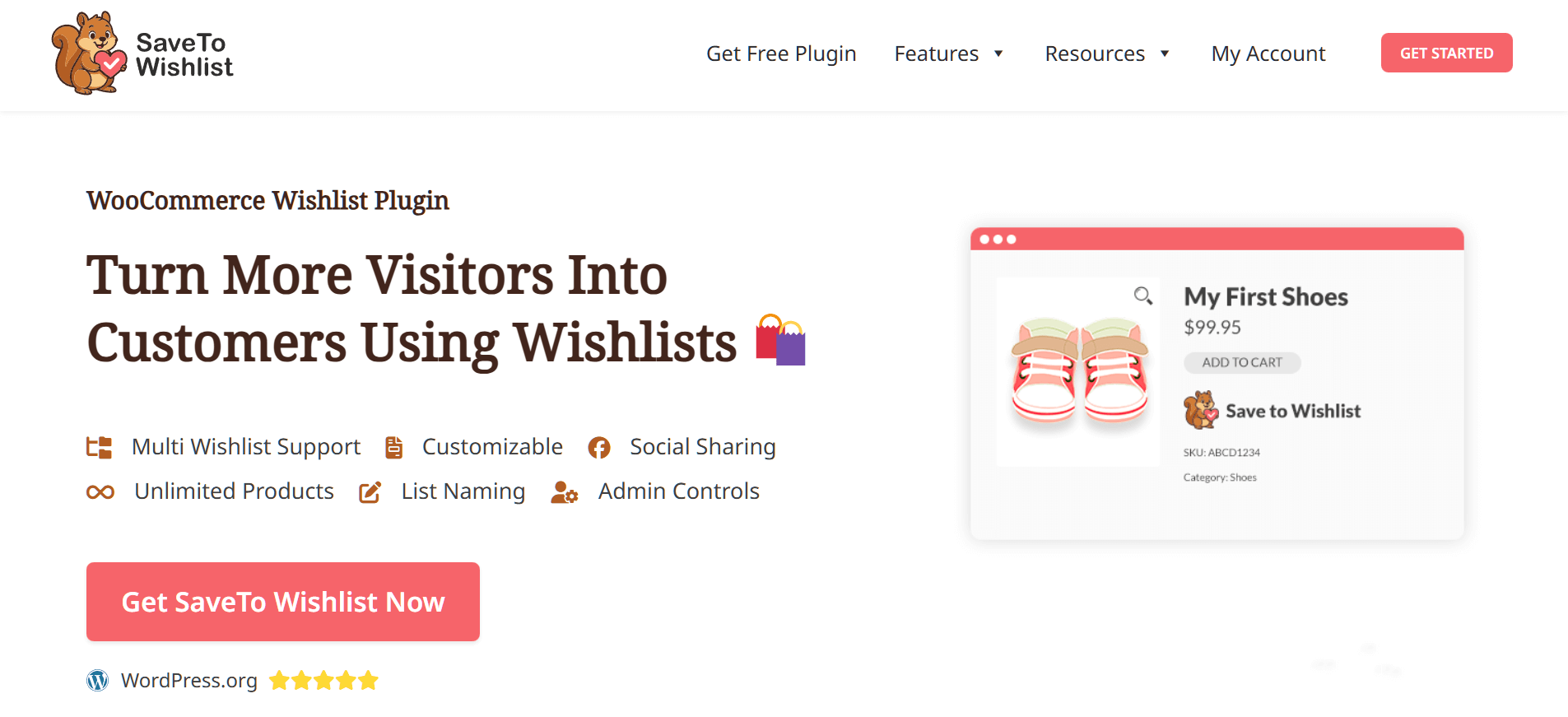
SaveTo Wishlist is a dedicated, lightweight WooCommerce wishlist plugin that lets shoppers save the products they like and come back to buy them later. Built for speed, this modern plugin won’t slow down your site. Whether your customers are comparing prices, planning a gift, or just browsing, they can save items with a single click and find them again in their wishlist when they are ready to buy without impacting page load times.
The free SaveTo Wishlist Lite plugin supports simple and variable products and can show wishlist buttons on product pages, shop pages, and WooCommerce product blocks. Guests can create a wishlist without signing in, and their saved items are merged into their account when they log in or register. For more advanced features, SaveTo Wishlist Pro adds price drop alerts, back-in-stock alerts, and wishlist analytics.
Benefits
- Let customers create and name unlimited wishlists, move items between lists, and save their whole cart to a wishlist.
- Choose from many button styles and control where the wishlist button appears and what it says.
- Allow customers to make a wishlist public and share it with a link, which is ideal for gift ideas.
- Add all items or individual items from a wishlist to the cart, with an option to remove items automatically once they are added to the cart.
- Import existing wishlist data from other popular wishlist plugins in just a few clicks.
- Keep your e-commerce store fast and responsive with lightweight, optimized code that won’t slow down your site
In conclusion, using these top 12 WordPress plugins can significantly enhance your website’s functionality, performance, and user engagement. Implement these plugins to stay ahead in the competitive online landscape and make your WordPress site efficient and excellent.