Gutenberg is the default WordPress editor, introduced with WordPress 5.0 in December 2018. Since then, it has made content creation more visual and flexible with a block-based approach.
Gutenberg divides the entire page or post into individual blocks such as paragraphs, headings, images, galleries, etc and you can customize each block on its own.
However, the default Gutenberg editor is mainly designed to cover general website-building needs. So, when you need more advanced layouts, sliders, dynamic content, AI tools, or detailed responsive controls, the native blocks feel limited.
This is where Gutenberg block plugins become useful. They extend the native editor with additional blocks, templates, design controls, and more.
To help you find the right option, I have shortlisted the best Gutenberg block plugins based on their features, usability, performance, pricing, and specific strengths.
Now, let’s look at each Gutenberg plugin one by one.
Top Gutenberg Plugins in 2026
Before exploring the plugins in detail, let’s understand the purpose of each.
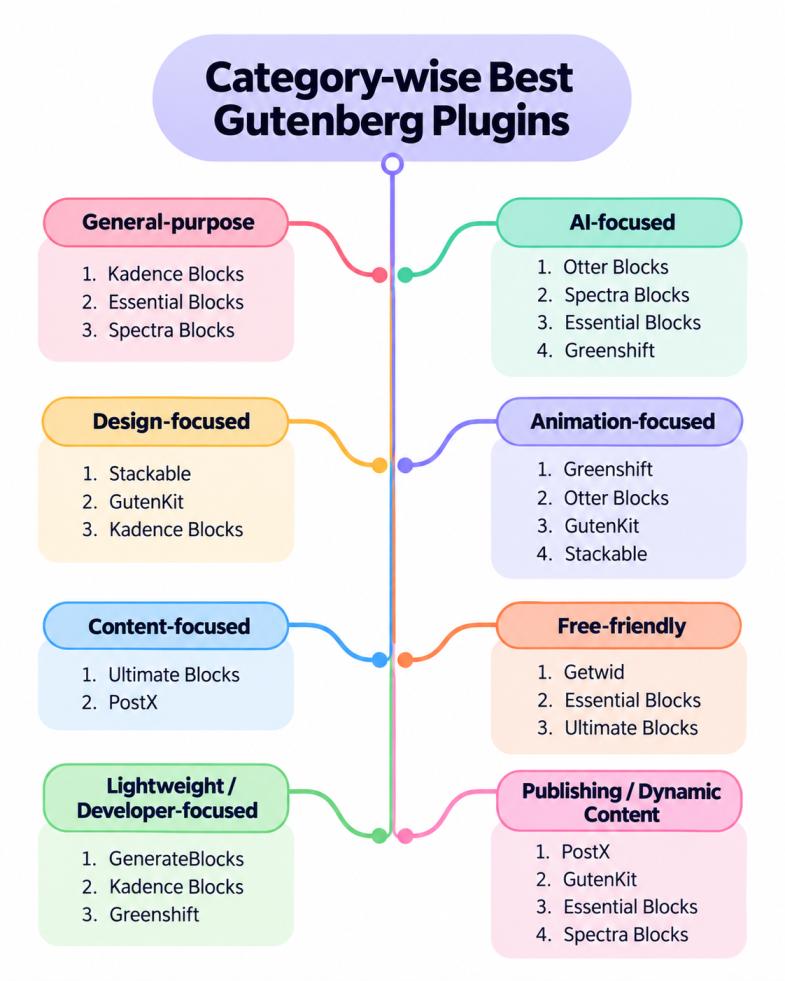
Some are better for design and layouts, while others focus more on AI, animations, blogging, dynamic content, or performance.
The infographic below gives you a quick category-wise overview, so you can easily identify the plugins that match your needs.
Kadence Blocks

Kadence Blocks is one of the most popular general-purpose Gutenberg block plugins with 600,000+ active installs.
Its main functionality is to provide Gutenberg with more design-focused options such as additional blocks, flexible layouts, and advanced design controls.
With the plugin, you get responsive controls, advanced spacing and typography options, nested layouts, and a Design Library with hundreds of ready-made patterns and pages.
One of its standout features is “Intelligent Load” which improves performance by loading assets only when needed.
The free version is enough for many business websites, landing pages, and blogs.
However, if you want more advanced features such as Advanced Forms, Advanced Query Loop, Dynamic Content, premium gallery layouts, and 800+ premium patterns, you can upgrade to Kedance Blocks Pro.
Best for: Users who want an all-round Gutenberg page-building toolkit with strong layout controls.
Key Features
- 20+ Gutenberg blocks and layouts
- Responsive design and typography controls
- Intelligent Load for better performance
- Hundreds of ready-made patterns
- Advanced Forms and Query Loop in Pro
- Dynamic Content and custom-field support in Pro
Essential Blocks

Essential Blocks by WPDeveloper is a feature-rich Gutenberg block library plugin. It is designed for users who want different types of blocks in one package.
The plugin adds a large collection of design, content, marketing, form, and WooCommerce blocks to the native Block Editor. It has modular block controls, meaning you can disable blocks you don’t need.
The free version includes useful options such as Flex Container, Timeline, Slider, Post Carousel, Forms, Image Hotspots, Pricing Tables, Advanced Tabs, and WooCommerce blocks.
For more advanced or dynamic websites, Essential Blocks Pro adds features such as Query Loop Builder, Animated Wrapper, Business Hours, One Page Navigation, Dynamic Tags, and ACF integration.
Best for: Users who want an all-in-one Gutenberg block collection for business pages, blogs, marketing sections, forms, WooCommerce, and dynamic websites.
Key Features
- 70+ free Gutenberg blocks
- Flex Container and advanced layout blocks
- Forms, sliders, carousels, and Image Hotspots
- WooCommerce and marketing blocks
- Modular block controls
- Query Loop Builder and Dynamic Tags in Pro
- ACF support and advanced interactive blocks in Pro
Otter Blocks
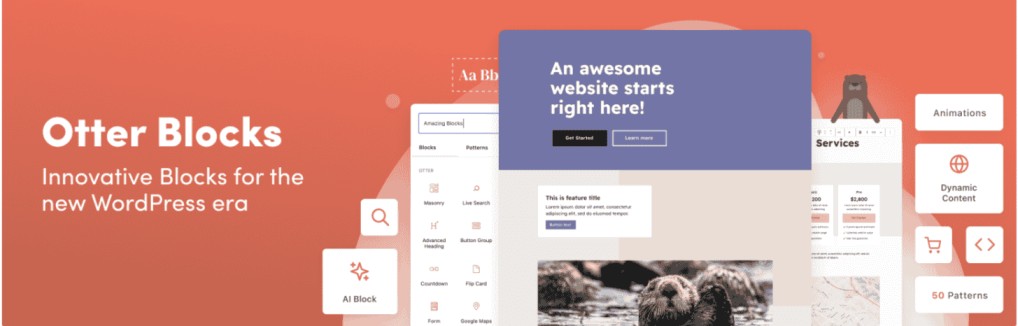
Otter Blocks by ThemeIsle is a popular and lightweight Gutenberg plugin. It adds extra blocks with AI tools, animations, forms, and content visibility controls. With 300,000+ active installations, it is one of the most popular Gutenberg plugins.
The free version of the plugin adds useful blocks to your native block editor, such as forms, sliders, accordions, maps, popups, and countdowns.
For animation, it adds 50+ animation presets and lets you show or hide blocks based on conditions such as login status or user role.
The plugin also integrates AI tools inside the editor, although you need to connect a supported AI provider separately. However, to add more advanced visibility conditions, dynamic values, Business Hours, or form features, you can upgrade to Otter Pro.
Best for: Users who want Gutenberg blocks together with AI, forms, animations, and marketing features.
Key Features
- 18+ Gutenberg blocks
- AI content tools
- 50+ animation presets
- Forms, popups, sliders, and maps
- Block visibility conditions
- Advanced conditions and dynamic features in Pro
Spectra Blocks

Spectra Blocks by Brainstorm Force is a modern Gutenberg plugin built directly on WordPress block APIs. It is designed to add more layout and design control without replacing your native WordPress editor.
It is a new plugin launched in July 2026 and already has 40,000+ active installations.
It adds blocks such as Container, Accordion, Tabs, Slider, Posts, Countdown, Modal, and Google Map. Its main highlight is AI-assisted website building, which helps you create pages and sections faster.
With Zip AI, you can generate full pages, create sections, rewrite content, and convert HTML designs into editable Gutenberg blocks.
However, if you need Dynamic Content, Loop Builder, advanced Global Styles, animations, or more Popup Builder controls, you can upgrade to Spectra Pro.
[Note: The original Spectra plugin has now been renamed Spectra Legacy. Spectra Legacy still has 1+ million active installations and continues to receive compatibility and security updates, but new feature development has moved to Spectra Blocks.]
Key Features
- Flexible Gutenberg blocks
- AI page and section generation
- HTML-to-block conversion
- Ready-made Design Library
- Lightweight CSS loading
- Dynamic Content and Loop Builder in Pro
Stackable
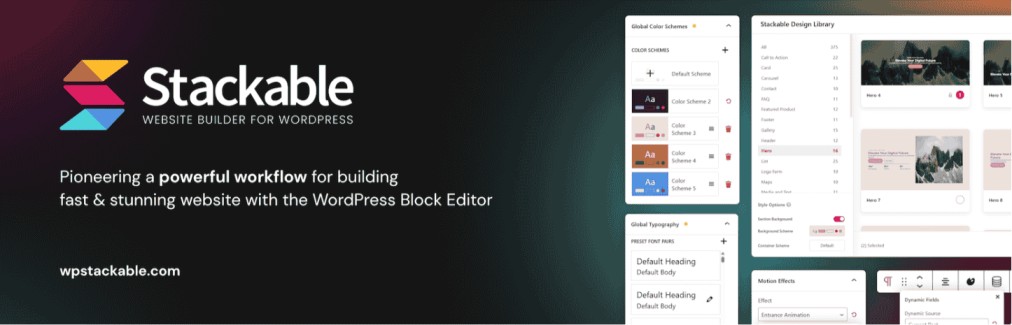
Stackable is a design-focused Gutenberg plugin that gives you more visual control inside the Block Editor.
It adds 40+ blocks such as columns, cards, accordions, tabs, carousels, posts, timelines, buttons, and more. Additionally, it provides a Global Design System that helps to keep colors, typography, and spacing consistent across your site.
Stackable Premium adds dynamic content, conditional display, motion effects, reusable block styles, advanced post options, and custom-field integrations.
Best for: Designers and site owners who want stronger styling options in Gutenberg.
Key Features
- 40+ Gutenberg blocks
- Global Design System
- Ready-made patterns and page designs
- Responsive controls
- Lightweight frontend loading
- Dynamic Content and Conditional Display in Premium
Greenshift
Greenshift by WPSoul focuses on animation, interactions, advanced layouts, and dynamic websites.
For animations, Greenshift is one of the strongest plugins on this list. The free version already includes scroll animations, hover effects, transforms, animated backgrounds, sliders, and interactive elements.
Greenshift does not have a traditional Pro version. Instead, it offers paid addons to add advanced features such as GSAP effects, pinning, parallax, mouse interactions, animation sequences, Lottie/Rive controls, and text or SVG animations.
Best for: Interactive landing pages and websites that need advanced animation effects.
Key Features
- Free CSS animations and interactions
- Flexbox and CSS Grid layouts
- Conditional asset loading
- Sliders, popups, and interactive elements
- Advanced GSAP animations through a paid addon
- Advanced Query tools through a paid addon
Ultimate Blocks
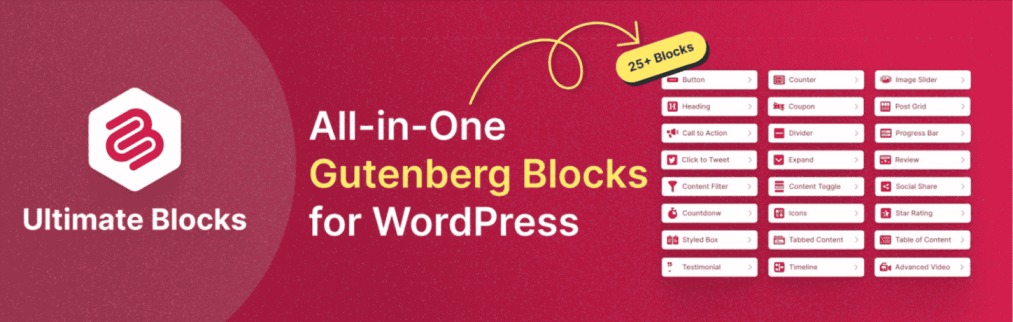
Ultimate Blocks is a content-focused Gutenberg plugin created mainly for bloggers and content marketers. It adds blocks that improve articles, reviews, tutorials, and other long-form content.
Its useful blocks include Table of Contents, Content Filter, Tabbed Content, and has a Review block with Schema markup, and a HowTo Schema block that helps structure tutorial-style content.
If you need Timeline, Coupon, Image Hotspots, advanced animations, saved styles, or additional styling options, you can try Ultimate Blocks Pro.
Best for: Blogs, affiliate websites, reviews, tutorials, and content-heavy websites.
Key Features
- 25+ Gutenberg blocks
- Table of Contents
- Review and HowTo Schema blocks
- Tabs, accordions, and content filters
- Post Grid and marketing blocks
- Timeline, Coupon, and Image Hotspots in Pro
GutenKit
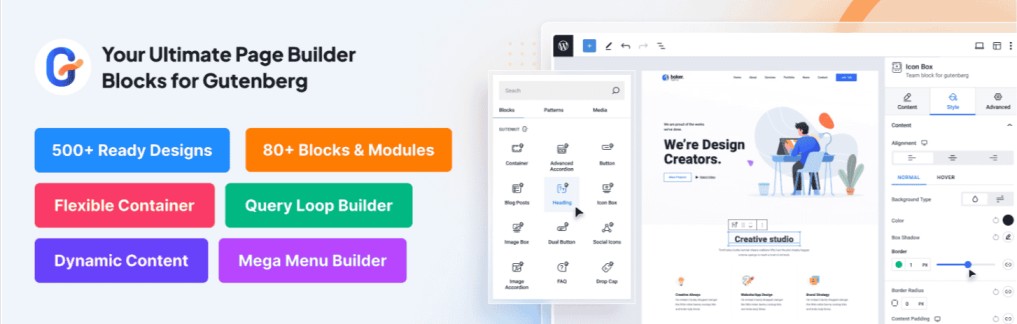
GutenKit by WPMet is a feature-rich Gutenberg page builder that brings many traditional page-builder features into the native WordPress editor.
It improves Gutenberg with containers, additional content blocks, responsive controls, animations, navigation tools, and a large library of ready-made designs.
The free version includes 34+ blocks and 400+ templates and patterns; however, if you need more advanced site-building tools, you need to upgrade to GutenKit Pro.
Best for: Large or complex pages where you want many page-builder features inside Gutenberg.
Key Features
- 65+ page-builder blocks and 20+ modules.
- 900+ pre-designed templates and patterns
- Full Site Editing support
- Mega Menu Builder
- Query Loop Builder and Dynamic Content
- One Page Scroll and Sticky Content
Getwid

Getwid by MotoPress is a completely free Gutenberg block plugin. It has no Pro version, which makes it stand out from most other plugins in this list.
It provides 40+ blocks and 35+ ready-made designs, covering both common content elements and more advanced blocks such as Image Hotspot, Content Timeline, Post Carousel, Recent Posts, and more.
Getwid works seamlessly with native Gutenberg blocks and offers real-time customization.
It is designed to inherit styles from your WordPress theme, which helps new blocks match your existing site design with less manual styling.
Key Features
- 40+ free Gutenberg blocks
- 35+ free block templates
- Post Carousel and Custom Post Type blocks
- Image Hotspot and Content Timeline
- Works well with native Gutenberg blocks
- No Pro version required
GenerateBlocks
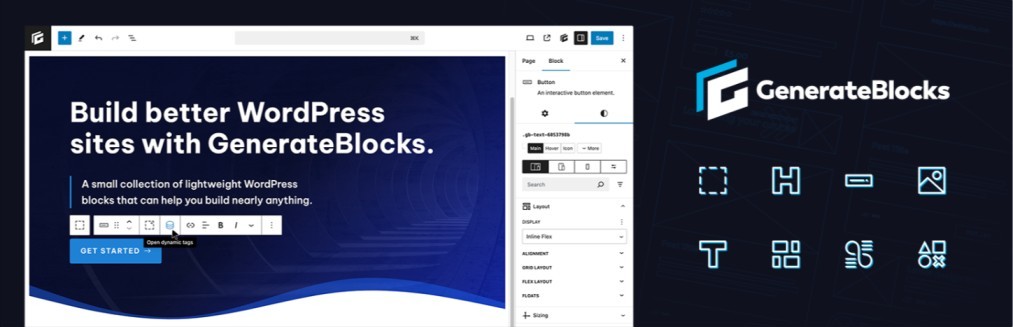
GenerateBlocks is a minimal and lightweight Gutenberg plugin.
Instead of providing multiple ready-made widgets, it gives you a small set of flexible blocks that can be combined to build different layouts.
It provides only 9 registered blocks, including Container, Text, Image, Shape, Query, Looper, Loop Item, Page Numbers, and No Results.
This simple approach makes it particularly useful for developers and performance-focused websites.
If you need Global Styles, custom responsive breakpoints, more advanced styling controls, and other developer-focused tools, you can upgrade to GenerateBlocks Pro.
Best for: Developers, agencies, and users who prefer a small number of flexible, lightweight blocks.
Key Features
- 9 flexible core blocks
- Minimal HTML and CSS output
- Built-in Query and Loop tools
- Dynamic Tags
- Responsive design controls
- Global Styles and custom breakpoints in Pro
PostX
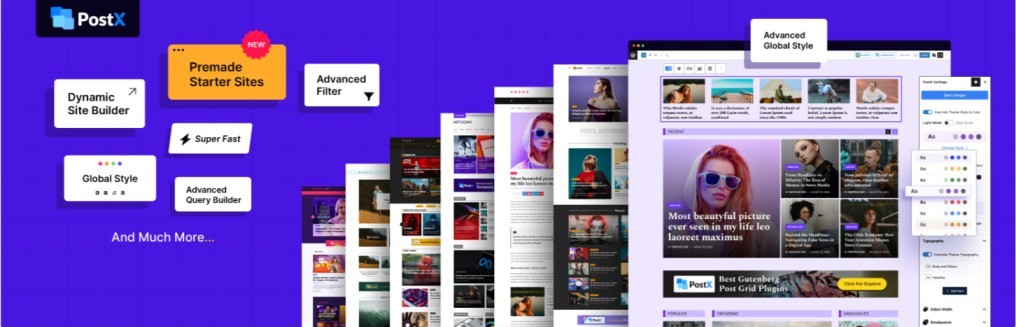
PostX by WPXPO is a specialized Gutenberg plugin for blogs, news websites, magazines, and other content-heavy sites.
Its main purpose is to give Gutenberg better tools such as post grids, post lists, sliders, templates, and filtering options for displaying and organizing WordPress posts in a better way.
PostX Pro adds Advanced Query Builder, AJAX Filters and Pagination, Dynamic Site Builder, Dynamic Content, Front-End Post Submission, and custom-field integrations.
Best for: Blogs, magazines, news portals, and design-focused websites.
Key Features
- 45+ blocks in Free; 51+ in Pro
- Post Grid and Post List blocks
- Ready-made blog and magazine patterns
- Advanced Query Builder in Pro
- AJAX filtering and pagination in Pro
- Dynamic Site Builder and custom-field integrations in Pro
Factors to Keep in Mind While Choosing the Right Gutenberg Plugin
All of the plugins above are useful, but the right choice depends on what your website actually needs. Before installing a Gutenberg plugin, keep these points in mind:
- Blocks that actually add value: Gutenberg already includes many useful blocks. Look for a plugin that adds features you are genuinely missing, such as advanced layouts, sliders, post grids, forms, dynamic content, or animations.
- Performance: A block plugin should not make your site heavy. Features like conditional asset loading, modular block control, or the option to disable unused blocks are good signs.
- Templates and Patterns: Ready-made patterns can save significant time when building landing pages or complete sites. They are especially useful for beginners and agencies producing multiple websites.
- Standout Features: Some plugins stand out in one particular area. For example, Greenshift focuses on animation, PostX on blogs and magazines, Ultimate Blocks on content, and Otter and Spectra on AI-assisted workflows.
- Free vs Premium Features: Make sure the free version contains the blocks you actually need. Some plugins provide a large free block collection, while advanced dynamic or site-building features may require a premium plan.
- Avoid Too Much Overlap: Installing several large block libraries often creates duplicate blocks and makes the editor harder to manage. In most cases, native Gutenberg blocks plus one main block plugin is a cleaner setup.
Here is a quick overview of every plugin with relevant facts that will help you to make a clear choice:
| Plugin | Free Version | Pro Starting Price | Best For |
| Kadence Blocks | Yes | $99/year | Building complete business websites, landing pages, and client sites without leaving Gutenberg |
| Essential Blocks | Yes | $39/year | Users who want lots of ready-to-use blocks in one plugin instead of installing several smaller addons |
| Otter Blocks | Yes | $69/year | Small business and marketing sites that need forms, AI tools, popups, and visibility controls |
| Spectra Blocks | Yes | $69/year | Users who want to build Gutenberg pages faster with AI-assisted layouts, content, and ready-made designs |
| Stackable | Yes | $49/year | Designers who want more styling freedom and page-builder-like visual controls inside Gutenberg |
| Greenshift | Yes | $39.99/year | Websites that need animations, scroll effects, interactive sections, and more advanced visual experiences |
| Ultimate Blocks | Yes | $39/year | Bloggers and affiliate marketers who mainly want to improve articles with TOCs, reviews, CTAs, tabs, and similar content blocks |
| GutenKit | Yes | $39/year | Building larger pages that need many blocks, templates, Mega Menus, responsive controls, and page-builder features |
| Getwid | Yes | Free – no traditional Pro version | Users who want a broad collection of useful Gutenberg blocks and templates without paying for a premium plugin |
| GenerateBlocks | Yes | $99/year | Developers and performance-focused users who prefer a few flexible blocks, clean markup, and lightweight pages over a huge block library |
| PostX | Yes | $44/year | Blogs, news portals, and magazine sites that need better post grids, filtering, queries, and content-listing layouts |
Final Thoughts
Gutenberg already gives WordPress users a flexible way to build pages and posts with blocks. The right Gutenberg plugin simply extends it by adding missing blocks.
There is no single Gutenberg plugin that will suit every website. The better choice is the one that fits your workflow and adds the features you actually need.
It is recommended to keep the Gutenberg block editor at the center and use a plugin that genuinely improves the editing or design experience.