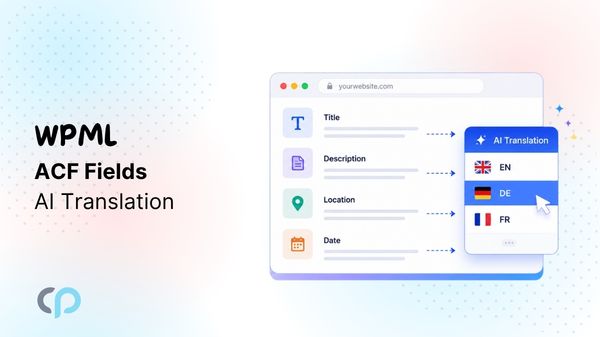

Advanced Custom Fields (ACF) makes it easy to add structured content to WordPress, like product information, event details, property descriptions, job listings, locations, specifications, or other custom content.
When you create a multilingual website with WPML, ACF translation is supported through Advanced Custom Fields Multilingual (ACFML). It lets you decide which fields should be translated, copied, or kept unchanged across languages.
But configuring a field for translation is only one part of the process. You need to generate a natural and accurate translation for the content stored inside that field.
This becomes especially important for ACF fields containing descriptions, instructions, product information, or other content where translating the meaning correctly matters more than simply translating individual words.
This is where AutoMLP – AI Translation for WPML can help.
AutoMLP works with your existing WPML setup and uses AI translation providers to generate accurate and high-quality translations for supported content.
In this guide, we’ll show you how to automatically translate ACF custom fields with AutoMLP, while keeping translation quality and accuracy in focus.
Why Use AutoMLP for ACF Translation?
ACF fields often contain more than simple words or labels. They may contain product information, instructions, technical details, property descriptions, event information, service details, and more.
For this type of content, translation quality matters.
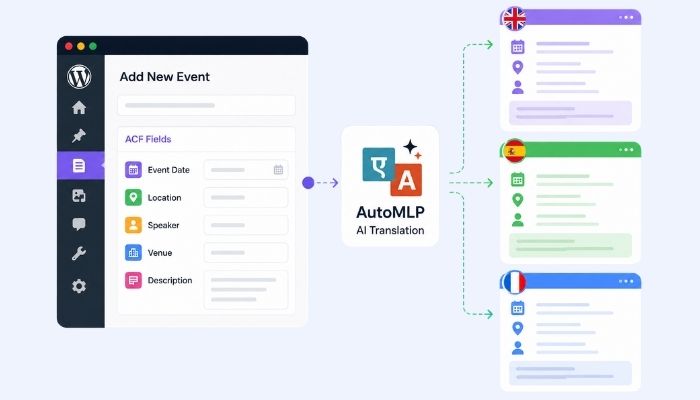
Consider this ACF field with Event Description:
Join WordPress experts for a full-day conference covering plugin development, security, and website performance.
A useful translation needs to understand the complete sentence and its meaning.
Simply translating individual words without enough context can make the final content sound unnatural or change the original message.
AutoMLP uses powerful AI translation providers that are trained on large language datasets to produce more natural and accurate translations.
For websites with a large amount of ACF content, this creates a useful balance between translation speed and translation quality.
How to Automatically Translate ACF Custom Fields with AutoMLP
Let’s go through the complete process step by step:
Step 1: Pre-requisite
Before translating your ACF fields, make sure the required plugins are installed and activated:
- Advanced Custom Fields (ACF or ACF Pro)
- WPML Multilingual CMS
- WPML String Translation
- AutoMLP – AI Translation for WPML
Step 2: Configure ACF Correctly in WPML
There are two different settings you need to check in WPML before starting translation:
- The translation setting for the ACF Field Group
- The translation setting for the actual ACF field values
These are not the same thing.
- From your WordPress dashboard, navigate to WPML > Settings > Post Types Translation.
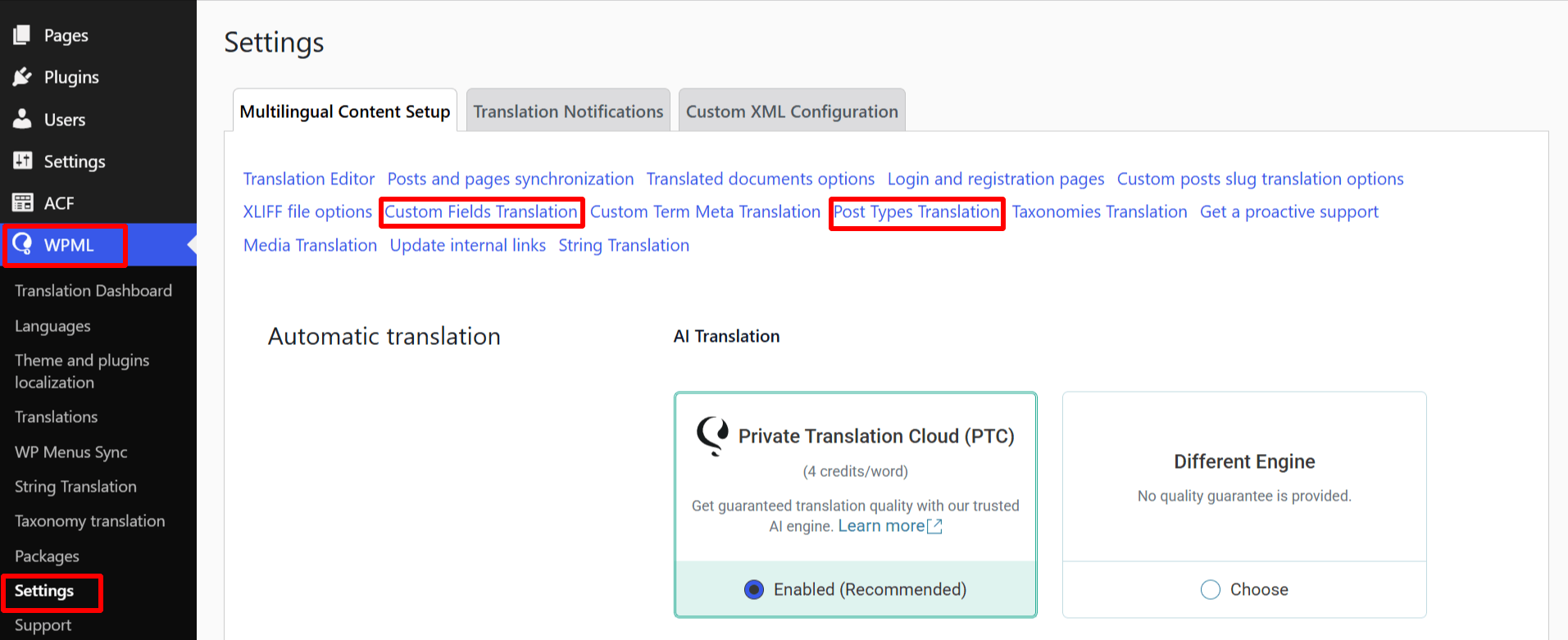
- Scroll down to Field Groups (acf-field-group), and set it to: Not translatable
WPML specifically recommends setting the ACF Field Groups post type to Not translatable when you do not need separate translated versions of the ACF field-group interface.
This does not mean that the content stored inside your ACF fields cannot be translated.
It only means that the ACF Field Group itself is not being created as a separate translated post type.
- Next, from Settings, open Custom Fields Translation.
- Here you will find the individual custom fields registered on your website. Find the fields containing content you want to translate and set them to: Translate.
- WPML’s Custom Fields Translation settings are where you choose how each custom field value should behave across languages.
Step 3: Translate Custom Posts
- Now, from your WordPress Dashboard, navigate to the posts or pages section where you have stored your ACF fields.
- Use the checkboxes to select one or more posts/pages you wish to translate.
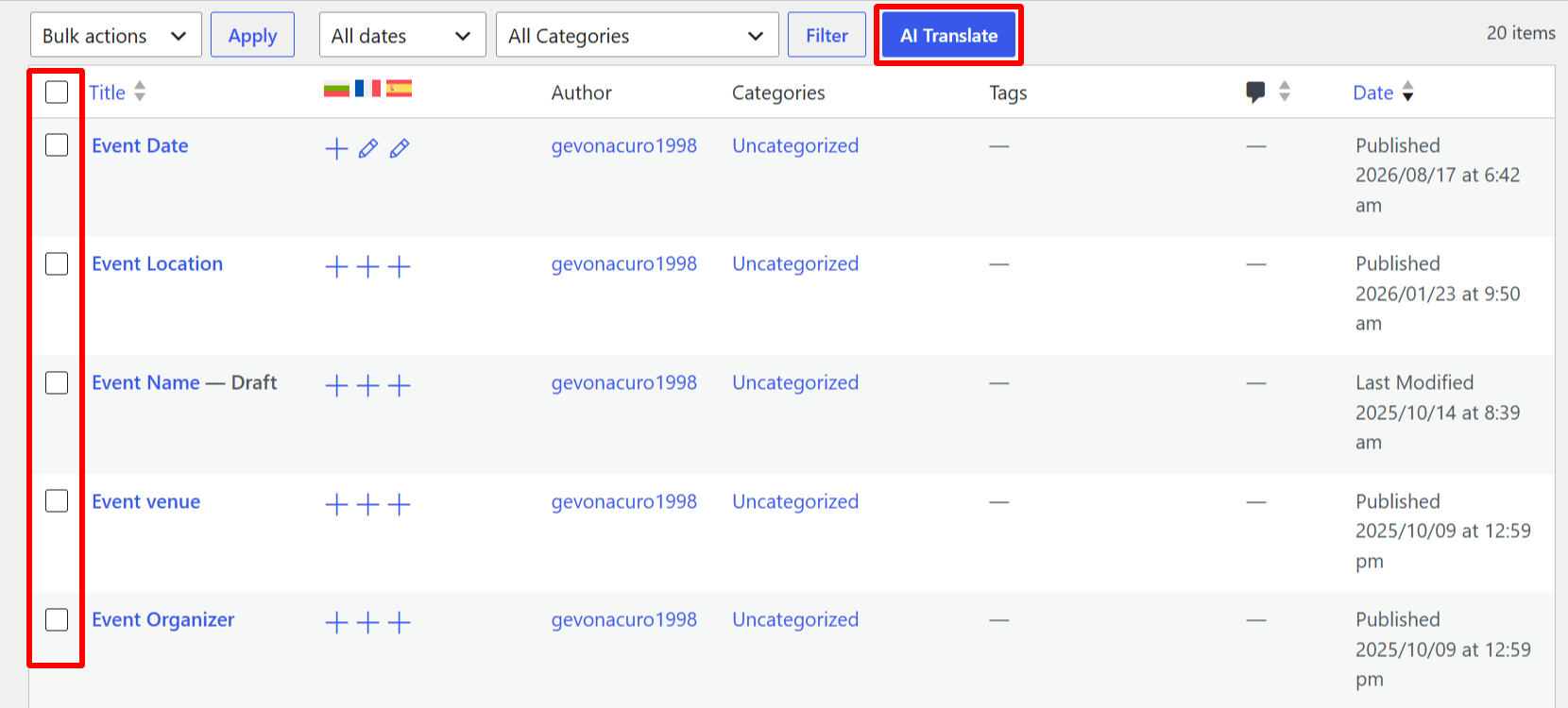
- Once selected, click the AI Translate button at the top.
- A pop-up will appear, select the language you want to translate your content into.
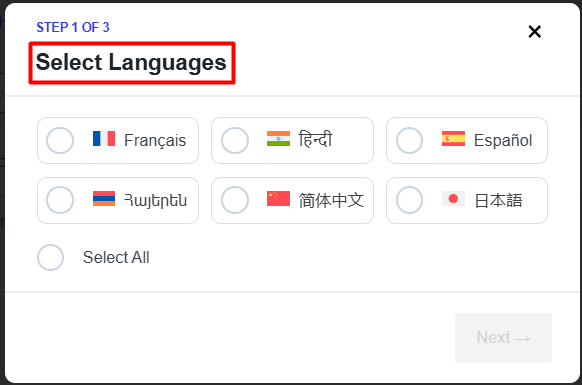
Step 4: Configure Your AI Translation Provider
- A pop-up will appear, select the language you want to translate your content into.
- Choose the translation engine according to your preferences:
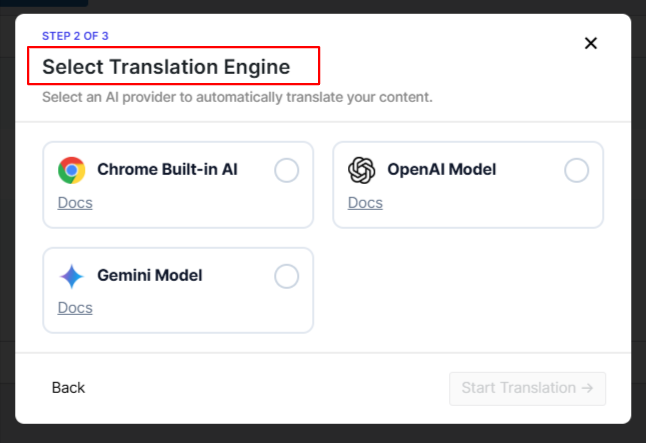
*Note: If you select OpenAI or Gemini, enter the required API key and save your settings. Chrome Built-in AI does not require an external API key. Once the provider is configured, AutoMLP is ready to generate translations.
Tip: Keep your OpenAI or Gemini API keys private. Do not share them in public screenshots, forums, documentation, or code repositories.
- The translation process will begin automatically.
Step 5: Review the Translation
- Once the translation is complete, review the translated custom fields before publishing.
AI helps create the first translation faster, but your final review makes sure the content is accurate and fits your audience.
Best Practices for Translating ACF Content
Following a few simple practices can help you get better results when translating ACF content with WPML and AutoMLP.
- Configure ACF Fields Before Translation: Before starting, make sure your ACF fields are configured correctly in WPML. Go to: WPML > Settings > Post Types Translation, keep: Field Groups (acf-field-group) > Not translatable, and set the individual fields to: Translate. This helps WPML understand which field values should be translated and which should remain unchanged.
- Translate Only Required Fields: Not every ACF field needs translation. Fields containing descriptions, instructions, labels, or other text usually need to be translated. Fields containing IDs, numbers, technical values, or internal references can often remain the same. Translating only the required fields avoids unnecessary translation.
- Complete the Original Content First: Try to finish your content in the original language before starting automatic translation. Complete sentences and descriptions give AI more context, which can help produce clearer and more natural translations. Avoid translating incomplete or placeholder content whenever possible.
- Keep the Source Content Clear: The quality of the translation also depends on the quality of the original content. Use clear sentences, avoid unnecessary abbreviations, and keep the meaning easy to understand. If the original content is confusing, the translated version may also be unclear.
- Review Important Custom Fields: AI can speed up the translation process, but important content should still be reviewed before publishing. Pay extra attention to fields containing:
- Product information
- Event instructions
- Property details
- Job requirements
- Technical information
- Service descriptions
- Calls to action
Make sure the translated content keeps the same meaning as the original.
- Keep Important Terms Consistent: Your website may use product names, feature names, technical terms, or industry-specific words that should remain consistent across languages. Review these terms after translation and make sure the same wording is used throughout the website.
Frequently Asked Questions
Can WPML translate ACF custom fields without AutoMLP?
Yes. WPML supports ACF custom fields through Advanced Custom Fields Multilingual.
AutoMLP is not required to make ACF content multilingual.
It provides an AI-powered way to generate the initial translation for supported content while you continue using WPML to manage your multilingual website.
Why should I use AutoMLP if WPML already supports ACF?
WPML and ACFML manage how your custom fields behave across languages.
AutoMLP focuses on generating the translation using AI. For text-heavy ACF content such as descriptions, instructions, and product information, AI can help create a natural and context-aware initial translation that you can then review and refine.
Does AutoMLP improve translation accuracy?
AutoMLP uses AI translation providers that can understand the wider meaning of text rather than translating only individual words.
This can be useful for descriptions and other context-heavy content. However, no automatic translation should be considered perfect in every case.
Always review important content before publishing, especially technical, legal, product, or business information.
Do I need Advanced Custom Fields Multilingual?
If you are using ACF with WPML, ACF Multilingual helps manage how custom fields behave across different languages.
It allows you to decide which fields should be translated, copied, or handled differently.
Can AutoMLP translate ACF fields in custom post types?
Supported ACF content used inside translatable custom post types can be included in your multilingual workflow when the post type and relevant fields are configured correctly.
Does AutoMLP translate every ACF field?
The result depends on the field type, your WPML/ACFML configuration, and whether the content is supported by the translation workflow.
It is always a good idea to test one post first before translating a large amount of content.
Can I edit the translation generated by AutoMLP?
Yes. You can review and improve the AI-generated translation before publishing it.
This is especially useful for brand names, technical terminology, product information, and other content that needs specific wording.
Which AI translation providers can I use?
AutoMLP supports AI translation providers such as:
– OpenAI
– Gemini AI
– Chrome Built-in AI
Provider availability may depend on your AutoMLP version and configuration.
Should I review AI-generated ACF translations?
Yes. AI can help you translate content faster, but important translations should still be checked before publishing.
Review the meaning, terminology, names, and important business information to make sure everything is correct.