
Using WPML for translating your WooCommerce store?
Well, it automatically translates almost every part of your product pages, including product titles, long and short descriptions, product categories, tags, attributes, custom fields, SEO metadata, and other WooCommerce content.
For small WooCommerce stores WPML automatic translation feature is quite useful and convenient.
Lower WPML Translation Cost
Discover a more affordable way to translate WPML websites (save upto 95%).
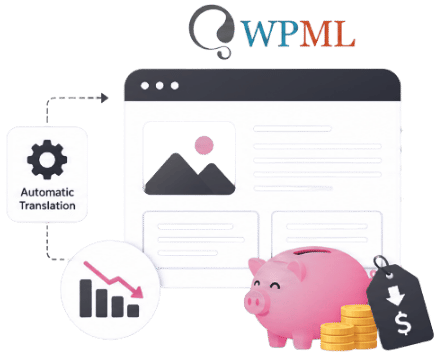
However, here is a problem: WPML’s automatic translation relies on translation credits, and your credit usage continues to increase as your site grows.
Every time you add a new product, update an existing description, create a new category, or modify product attributes, translation credits are used.
Here is the quick overview of translation credit’s cost:
| Store Size | Approximate Products | Estimated Translation Credits Needed* |
| Small Store | 50 Products | Low |
| Medium Store | 500 Products | Moderate |
| Large Store | 2,000+ Products | High |
| Enterprise Store | 10,000+ Products | Very High |
The actual number of credits depends on the amount of content in each product, the number of target languages, and how often products are updated.
If you are already using WPML, switching to another multilingual plugin isn’t the best option.
So, instead of replacing WPML, extend WPML’s Automatic Translation feature with AutoMLP.
AutoMLP is a powerful addon that lets you connect your own OpenAI, Google Gemini (via API Key), or Chrome AI (No API needed) to translate your WooCommerce products.
Your translation workflow stays the same; you continue managing translations through WPML using your preferred AI provider at low cost.
In this blog, we are going to discuss how you can automatically translate WooCommerce products without WPML’s automatic translation credits.
What is AutoMLP – AI Translation for WPML?
AutoMLP is a powerful addon for WPML that enhances the way Automatic Translation works. It doesn’t replace WPML or change your multilingual setup.
Instead, it gives you another way to generate AI-powered translations while keeping the familiar WPML translation workflow.
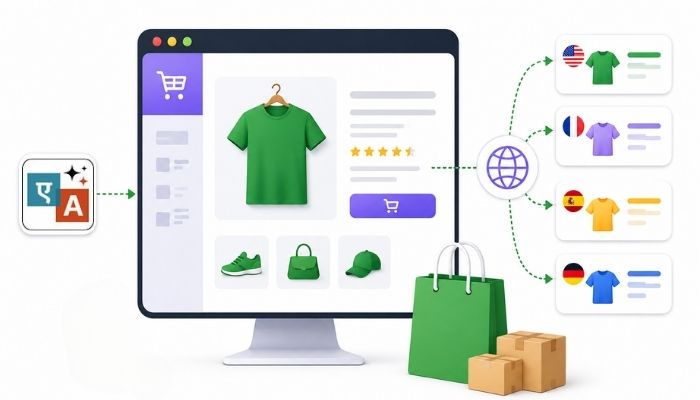
Once installed, AutoMLP connects WPML with leading AI translation providers such as OpenAI, Google Gemini, and Chrome built-in AI.
Whenever you translate WooCommerce products, pages, posts, or custom post types through WPML, AutoMLP sends the content to your selected AI provider, receives the translated content, and returns it to WPML automatically.
This means you can continue using all the features you already rely on in WPML while gaining more flexibility in how translations are generated.
Steps to Translate WooCommerce Products with WPML AI
Follow the steps below to translate WooCommerce products using WPML AI:
Install & Activate the Plugin
- Before installing AutoMLP, make sure that you have installed and activated the WPML Multilingual CMS and WPML String Translation plugin.
Enable Product Translation in WPML
Before translating your products, you must first configure WPML to make WooCommerce product fields translatable.
- From your WordPress dashboard, navigate to WPML > Settings > Custom Fields Translation.
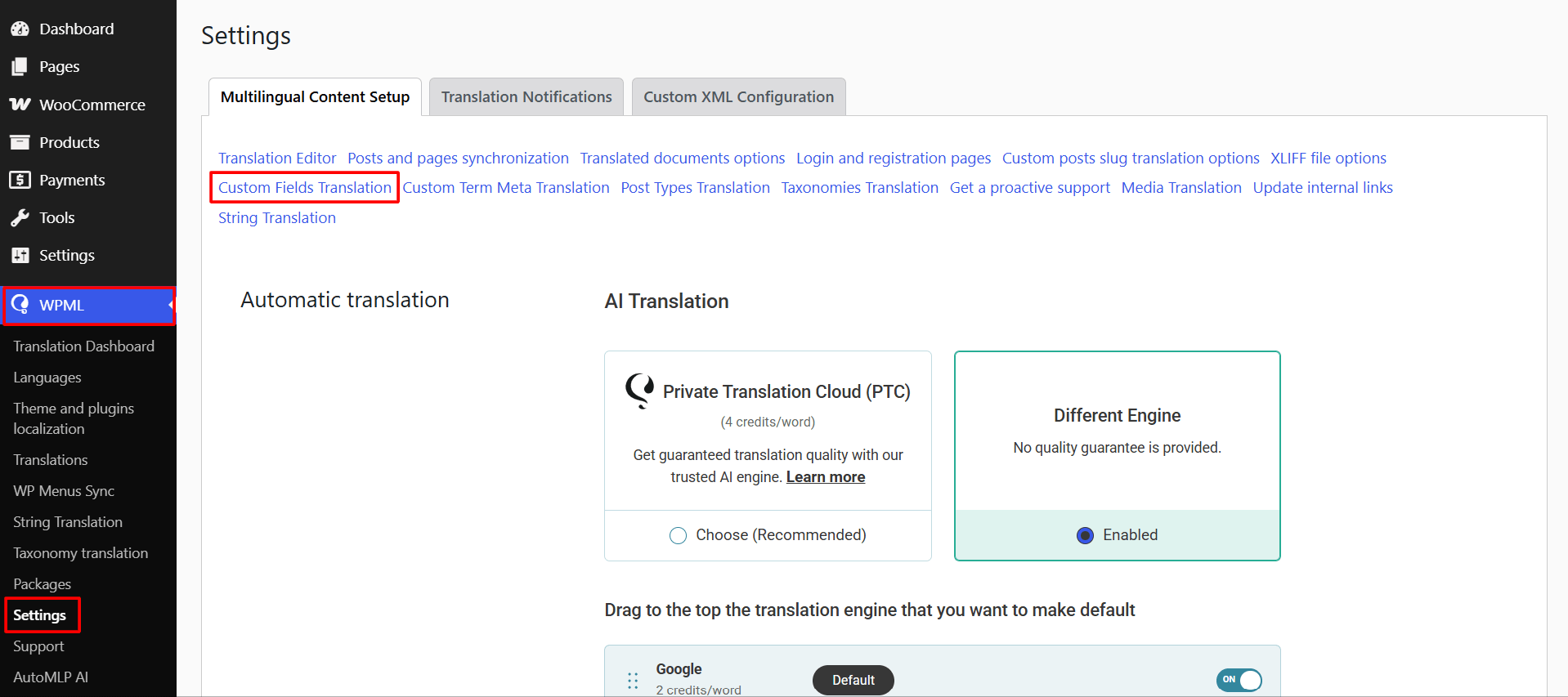
- Locate the WooCommerce product fields you want to translate.
- Set the required fields to Translate.
- Save your changes.
- Once enabled, AutoMLP will be able to translate the selected WooCommerce product fields.
Translate a WooCommerce Product
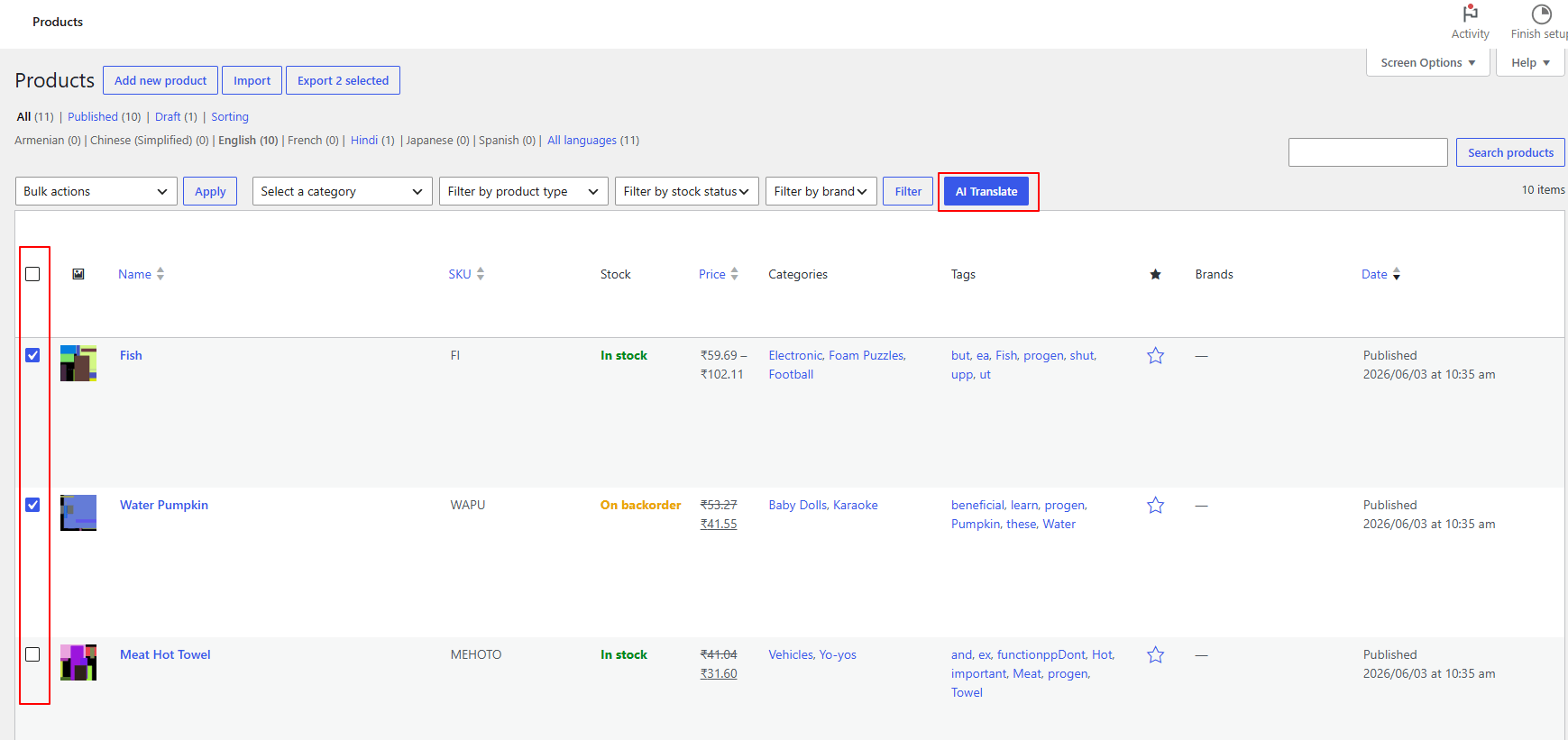
- From your WordPress dashboard, navigate to the products section.
- Use the checkboxes to select one or more strings you wish to translate.
- Once selected, click the AI Translate button at the top.
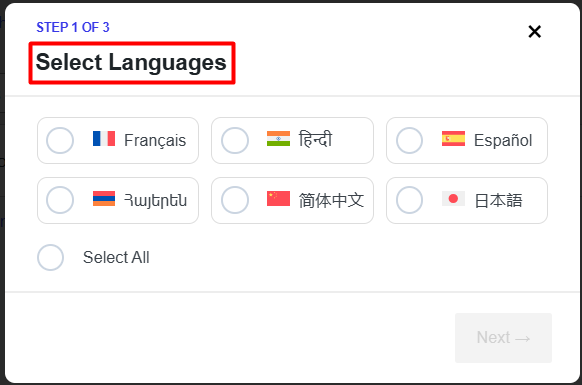
- A pop-up will appear, select the language you want to translate your products into.
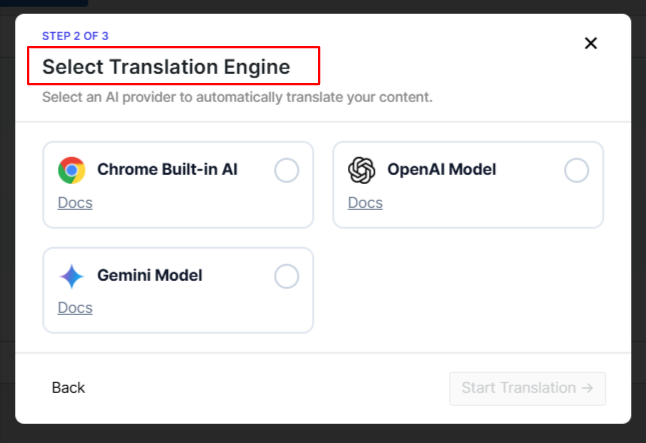
- Next, choose the desired translation engine: Gemini AI, OpenAI, or Chrome built-in AI.
- The translation process will begin automatically.
- After the process is complete, you can review the translation.
That’s it, your WooCommerce products are now available in multiple languages, helping customers browse and purchase products in their preferred language.
Final Thoughts
Translating WooCommerce products manually isn’t practical for growing online stores, and translating them automatically using WPML is just way too expensive.
As your catalog expands, keeping every product updated across multiple languages becomes increasingly difficult.
With AutoMLP – AI Translation for WPML, you can automate much of the translation process while continuing to use the WPML workflow.
Product titles, descriptions, categories, attributes, custom fields, and other translatable content can be translated using advanced AI.
If you’re already using WPML, AutoMLP is a simple way to make WooCommerce product translation faster, more scalable, and easier to manage.
Frequently Asked Questions
Can I translate WooCommerce products automatically with WPML?
Yes, WPML allows you to automatically translate WooCommerce products, including product titles, descriptions, categories, tags, attributes, custom fields, and SEO metadata. However, WPML Automatic Translation uses translation credits based on the amount of content you translate.
What is the difference between WPML Automatic Translation and AutoMLP?
WPML Automatic Translation uses WPML’s built-in translation services that consume translation credits. While, AutoMLP extends WPML by allowing you to connect your own AI providers like OpenAI, Google Gemini, or Chrome built-in AI to generate translations while keeping the existing WPML translation workflow.
Do I need to replace WPML to use AutoMLP?
No. AutoMLP works as an addon for WPML and does not replace your multilingual setup. You can continue using WPML features while using AutoMLP to generate AI-powered translations.
Which AI translation providers are supported by AutoMLP?
AutoMLP supports multiple AI translation providers, including OpenAI, Google Gemini through API keys, and Chrome built-in AI without requiring an API key.
Does AutoMLP require an API key to translate WooCommerce products?
It depends on the AI provider you choose. OpenAI and Google Gemini require their respective API keys, while Chrome built-in AI can be used without an API key.
Can I translate multiple WooCommerce products at once with AutoMLP?
Yes, AutoMLP allows you to select multiple products from your WordPress dashboard and translate them in bulk using your preferred AI translation engine.
Is AutoMLP cheaper than WPML translation credits?
AutoMLP can help reduce translation costs (95% cheaper than WPML) by allowing you to use your own AI provider instead of relying only on WPML’s translation credits. The overall cost depends on your selected AI provider, content size, and translation volume.
Can I review AI-generated translations before publishing them?
Yes. After AutoMLP completes the translation process, you can review and edit the translated content before making it available to your customers.
Does AutoMLP only work with WooCommerce products?
No. While AutoMLP is useful for WooCommerce stores, it can also translate other WPML-supported content such as posts, pages, and custom post types.