
All Plugins » Translation Plugins » Linguator
Share it:
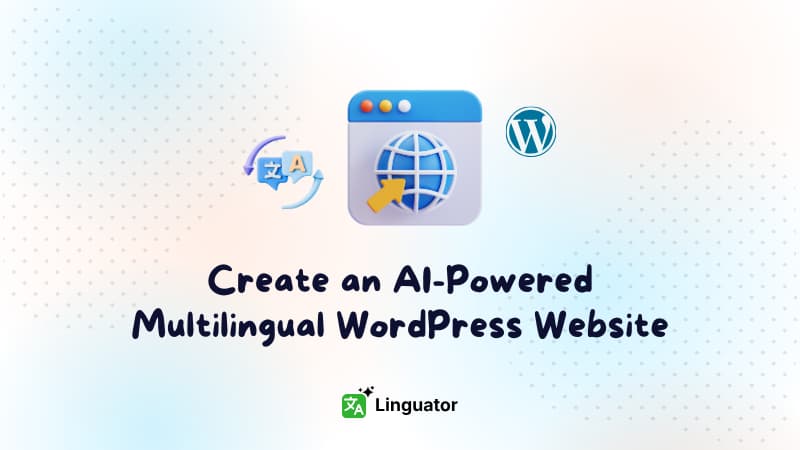
Translate your WordPress site automatically using AI, supporting Elementor, Gutenberg, and all custom post types.
Linguator is a powerful WordPress plugin that lets you automatically translate your entire website into multiple languages with AI. It supports Gutenberg, Elementor, and custom post types, ensuring all your content, pages, posts, images, and media is translated accurately and efficiently.
Linguator works seamlessly in the browser without requiring paid APIs, saving time and effort while expanding your global reach. With features like bulk translation, multilingual menu & media support, Glossary Feature, Language Switcher, and RTL language compatibility, you can easily create, manage, and optimize a fully multilingual WordPress website.
Linguator is an AI-powered WordPress translation plugin that helps you translate your entire website into multiple languages with ease. It works directly inside your WordPress dashboard, allowing you to manage translations for posts, pages, menus, and other content types without relying on third-party platforms or external services.
Linguator uses advanced AI translation technology, including Google Translate and Chrome’s built-in AI, to automatically translate your WordPress content. You can translate full pages, individual blocks, or multiple posts in bulk with just a few clicks, making it ideal for large websites.
Yes, Linguator is fully compatible with popular WordPress page builders like Elementor and the Gutenberg editor. You can easily translate Elementor pages and translate Gutenberg pages directly inside the editor without breaking your layout or design.
Absolutely. Linguator supports all custom post types, including Events, Portfolios, Products, and more. You can easily translate every content type on your website, no matter how complex your setup is.
Yes. Linguator fully supports RTL languages such as Arabic, Hebrew, and Persian. It automatically adjusts text direction and layout to ensure proper display and readability for right-to-left languages.
Yes. Linguator allows you to add a language switcher anywhere on your website, including menus, sidebars, footers, or via an Elementor widget. This makes it easy for visitors to switch between languages seamlessly.
There is no limit to the number of languages you can add. You can create and manage unlimited languages from a single dashboard, making Linguator perfect for multilingual and global websites.
The Glossary Feature in Linguator helps you keep translations consistent by defining how specific words or phrases should be translated across your website when using AI translation.
Yes, Linguator is a completely free WordPress translation plugin available on the WordPress Plugin Directory.
You can download Linguator directly from the official WordPress Plugin Directory and install it on your website in just a few clicks.
After purchasing the plugin, you will receive a license key. Simply activate this license in your WordPress dashboard to start receiving automatic plugin updates directly within your WP admin area. You will also be eligible for premium support and regular updates as long as your license remains active—just contact our support team when needed.
85000+
Active Installs
(525+)
12000+
Active Installs
(50+)
Translate Polylang content into multiple languages with one click using Google Translate or DeepL.
1000+
Active Installs
(25+)
Manage your preferences. Blocking some cookies may affect site features. You can find more information in our Cookie Policy and Privacy Policy.
Your browser is sending a Global Privacy Control signal, so advertising cookies stay off and that choice cannot be switched on here. Everything else is still yours to decide.
Essential cookies for site security, functionality and basic preferences.
| Cookie | Set by | Kept for |
|---|---|---|
cppb_consent
Stores the visitor's consent decision so the banner is only shown once.
|
CP Cookie Banner | configurable (default 365 days) |
Remember your preferences, like language and layout, for a better site experience.
| Cookie | Set by | Kept for |
|---|---|---|
cppt_session
Marks the current browsing session, so that a visit arriving from another website is credited once per session rather than on every page view. Contains no identifier.
|
Cool Plugins — CP Pricing Table | Session |
pll_language
Saves the chosen language.
|
Polylang | 1 year |
wp-settings-1
Stores user admin preferences.
|
WordPress core | 1 year |
wp-settings-time-1
Stores timestamp of WordPress admin preference change.
|
WordPress core | 1 year |
Help us improve the site using anonymous usage data, without personal targeting.
| Cookie | Set by | Kept for |
|---|---|---|
_clck
Persistent user identifier for session linking.
|
Microsoft Clarity | 1 year |
_clsk
Connects pageviews into a single session recording.
|
Microsoft Clarity | 1 day |
_ga
Distinguishes unique users.
|
Google Analytics | 2 years |
_ga_942V83ZG8Q
Persists session state per GA4 property.
|
Google Analytics 4 | 2 years |
Used to deliver and measure ads on this site and across the web.
| Cookie | Set by | Kept for |
|---|---|---|
_fbp
Identifies browsers for ad delivery and site analytics.
|
Meta (Facebook) Pixel | 90 days |
_gcl_au
Stores conversion linker information for Google Ads.
|
Google Ads | 90 days |
_rdt_uuid
Unique visitor identifier for Reddit ad attribution.
|
Reddit Pixel | 3 months |
_twpid
Identifies the browser to X so ad conversions can be attributed.
|
X (Twitter) Pixel | Session |
_twsid
Session identifier used by the X conversion pixel.
|
X (Twitter) Pixel | Session |