Artificial Intelligence (AI) is revolutionizing how we build and maintain websites, making tasks like content creation, design, translations, and chat support easier than ever. Whether you’re a blogger, a business owner, or an eCommerce seller, AI-powered plugins can help you save time and enhance your website’s performance.

In this blog post, we’ll discuss the 9 best AI WordPress plugins, in detail to help you find the perfect one for your site.
Quick Comparison
| Plugin | Best For | AI Functionality | Free Option |
|---|---|---|---|
| AI Engine | Chatbots and WordPress automation | AI chatbots, content generation, MCP | Yes |
| GetGenie | Blogging and SEO content | AI writing, keyword research, competitor analysis | Yes, limited credits |
| Kadence Blocks | Gutenberg page design | AI-assisted text editing | Blocks free; AI activation required |
| Polylang | Multilingual content | DeepL translation in Pro or AI addons | Free base plugin |
| TranslatePress | Visual website translation | Built-in automatic AI translation | Yes, limited AI words |
| Loco Translate | Plugin and theme localization | AI and machine translation integrations | Yes |
| ZipWP | Creating new websites | AI-generated WordPress websites | Yes, limited generations |
| Tidio | Customer support | Lyro AI support agent | Yes, limited conversations |
| Rank Math AI | SEO and AI search visibility | AI writing, internal linking, visibility tracking | Paid AI plans |
1. AI Engine
Rating: 4.8/5
Best for: AI content generation, chatbot integration, automation
Pricing: Free (Pro version available)
AI Engine is a WordPress plugin developed by Meow Apps that connects your website with AI models and assistants. It offers more than content generation: you can create AI chatbots for visitors, work with AI inside the WordPress dashboard, and allow compatible AI assistants to perform supported WordPress tasks.

One of its most useful features is creating a chatbot that can answer questions based on your website’s content.
Additionally, AI Engine’s MCP server allows supported AI assistants to interact with WordPress. The plugin exposes WordPress operations as tools that an AI assistant can use. Available capabilities depend on the installed version, enabled integrations, and permissions.
For example, you can ask the assistant to create a draft post or work with supported site content.
This is different from a chatbot that only answers website visitors. It makes AI Engine useful for both front-end interactions and administrative workflows.
Key Features:
- AI Chatbots: Create chatbots with configurable layouts, themes, conversation memory, voice functionality, and file uploads.
- Website Knowledge Base: Connect supported website content to your chatbot so it can retrieve relevant information when answering questions.
- AI Content Generation: Generate and improve written content using supported AI models.
- AI Image Generation: Generate images through compatible image models.
- AI Forms: Create forms that use AI to process submitted information and generate responses.
- MCP Server: Connect compatible AI assistants to WordPress to perform authorized operations.
- AI Workspace: Access a dedicated AI chat interface inside WordPress for conversations and supported website-management tasks.
2. GetGenie Assistant
Rating: 4.7/5
Best for: AI-driven content and SEO optimization
Pricing: Free plan available; premium plans start at $19/month
GetGenie is an AI content writing and SEO assistant that works within WordPress. It combines content generation with keyword research, competitor analysis, and optimization tools.

Its main advantage is bringing multiple stages of content creation into one workflow.
GetGenie Assistant uses AI to analyze search engine trends and competitor content. You can begin with a topic or keyword, use the available SEO research tools, and create an article based on the information collected.
Its competitor analysis can help you understand which subtopics competing articles cover. This is useful when planning a more complete article, although the information still requires editorial judgment.
Additionally, it also offers AI-readiness and answer-focused optimization tools. These are intended to help prepare content for search experiences such as AI Overviews, but they do not guarantee that an AI platform will cite your website.
Key Features:
- AI Blog Writer: Generate article drafts, introductions, conclusions, and content outlines.
- Keyword Research: Find relevant keywords, including semantic and NLP keyword suggestions.
- Competitor Analysis: Review search results and competing articles to understand how other websites cover a topic.
- Content Optimization: Use keyword and SEO recommendations to improve existing content.
- 40+ AI Templates: Generate marketing copy, headlines, product descriptions, and other content formats.
- WooCommerce Content: Create product descriptions for online stores.
- GenieChat and Genie Mode: Interact with AI using conversations or customized prompts.
- SEO Insights: Monitor supported search-performance information using Google Search Console integration.
- AEO and GEO Features: Review content structure and generate answer-focused content intended for AI-powered search experiences.
3. Kadence Blocks
Rating: 4.6/5
Best for: AI-powered website designs and layout customization
Pricing: Free; Pro version starts at $69/year
Kadence Blocks is primarily a page-building plugin that extends the WordPress block editor with additional design blocks.

It helps users build pages with advanced layouts, buttons, forms, galleries, tabs, and other elements without relying on a separate page builder.
Its AI functionality is more focused than that of dedicated AI writing plugins. The Advanced Text block includes an inline AI editor that can help improve text directly inside Gutenberg.
Just select the text you want to improve and use the AI option in the block toolbar. You can choose a predefined instruction, such as improving the wording, shortening the paragraph, changing its tone, or enter a custom prompt.
Key Features:
- Inline AI Writing: Improve selected text inside the Advanced Text block.
- Text Rewriting: Make content shorter, longer, or easier to understand.
- Grammar and Spelling: Correct writing issues using AI.
- Tone Adjustments: Change wording to a professional, friendly, informative, engaging, or funny tone.
- Custom AI Prompts: Enter instructions for rewriting or generating text.
- Advanced Design Blocks: Create customized layouts, buttons, galleries, forms, and other page elements.
- Responsive Controls: Adjust typography, spacing, and layouts for different devices.
4. Polylang
Rating: 4.7/5
Best for: Multilingual websites
Pricing: Free; Pro version starts at €99/year
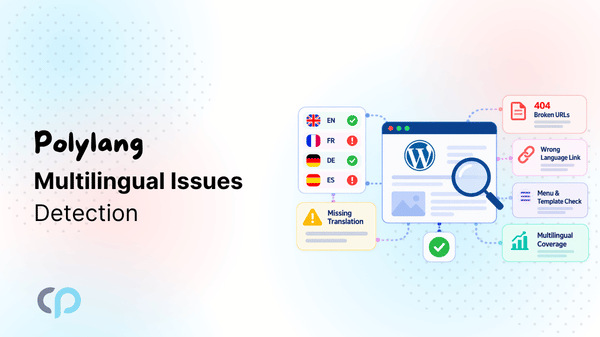
Polylang is a multilingual WordPress plugin that helps you create and manage your website in multiple languages. You can translate posts, pages, categories, and other supported content, organize each language version, and let visitors switch between languages.

Polylang Pro integrates DeepL machine translation directly into WordPress. Once you connect your DeepL API key, you can automatically translate your whole WordPress website in minutes.
Note: DeepL translation is available in Polylang Pro and requires a DeepL API key.
However, if you don’t want to depend on API key and want other translation options then you can get compatible third-party addon, such as: AutoPoly – AI Translation for Polylang. It adds automatic translation functionality for supported content, including Gutenberg, Elementor, and supports bulk translation workflows.
Key Features:
- Multilingual Content: Create and connect translated posts, pages, and supported custom content.
- Language-Specific URLs: Manage URLs for different language versions.
- Language Switchers: Allow visitors to navigate between available languages.
- Multilingual SEO: Support language-specific content and hreflang functionality.
- DeepL Machine Translation: Translate supported content through Polylang Pro.
5. TranslatePress
Rating: 4.6/5
Best for: Website translations
Pricing: Free; Premium plans start at €79/year
TranslatePress is a WordPress translation plugin that makes it easier to create multilingual websites using automatic translation and a visual editor.
Its built-in TranslatePress AI feature can translate website content without requiring you to configure separate AI-provider API keys. It combines AI language models and machine translation technologies to generate automatic translations that you can review and edit.
Note: TranslatePress offers a limited free AI translation allowance, with larger allowances available in paid plans. Translation usage is calculated separately for each target language.
Key Features:
- Multiple Translation Engines: The service combines supported language models and machine translation engines.
- Visual Translation Editor: Select text on your website and manually adjust the translation.
- Automatic Translation Storage: Save translated text in the WordPress database for reuse.
- Dynamic Content Translation: Translate supported content generated by themes, plugins, and page builders.
- SEO Metadata Translation: Translate supported SEO information through the relevant translation functionality.
- Language Switchers: Let visitors browse available language versions.
6. Loco Translate
Rating: 4.5/5
Best for: AI-powered translation and localization
Pricing: Free; Pro plans available
Loco Translate is a WordPress translation plugin that helps you translate text used in WordPress themes and plugins directly from your dashboard.
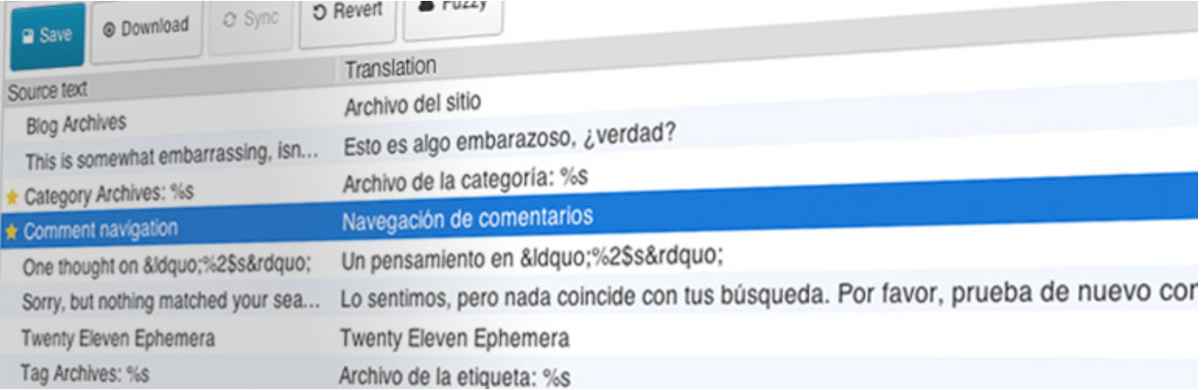
Loco Translate focuses on theme and plugin interface strings, not translating complete website pages or blog posts. For example, if your website uses an English contact form plugin but you want its buttons, field labels, and messages to appear in Spanish, Loco Translate lets you edit the available translation strings without modifying the plugin’s source code.
It also supports automatic translation through services such as OpenAI, DeepL, Google Translate, and Microsoft Translator, without any need for manual translations.
Key Features:
- Built-in Translation Editor: Edit WordPress translation strings directly from the dashboard.
- Automatic Translation Integrations: Connect supported translation services, including OpenAI and DeepL.
- PO and MO File Management: Create, edit, and compile WordPress translation files.
- Source String Extraction: Extract translatable text from supported plugin and theme source files.
- Plural Form Support: Manage translation strings with plural variations.
7. ZipWP
Rating: 4.9/5
Best for: AI-powered website building
Pricing: Free (Premium version available)
ZipWP is an AI-powered website-building platform that generates WordPress websites from a description of your business or project.

Instead of starting with a blank WordPress installation and designing every page manually, you provide information about the website you want to create.
Suppose you want to build a website for a local fitness studio. You can describe the business, its services, and the type of website you want. ZipWP uses this information to generate a WordPress website with an initial design and relevant page content.
Because the generated result is a WordPress website, it can be further customized using compatible WordPress tools.
ZipWP also offers hosting and agency-focused features, including reusable site blueprints for creating similar websites.
No need to pick a theme manually, no need to struggle with designing layouts, it’s all done for you using AI in minutes.
Key Features:
- AI Website Generation: Generate a WordPress website from a written description.
- AI-Generated Content: Create initial page text based on your business information.
- AI Designs: Choose from supported professionally designed website layouts.
- AI Site Planner: Plan website structure using sitemaps and wireframes.
- AI Customization: Modify supported content and sections using prompts.
- Site Blueprints: Save reusable site configurations for future projects.
- WordPress Editing: Customize generated websites using supported WordPress design tools.
8. Tidio
Rating: 4.8/5
Best for: AI chatbots and customer support automation
Pricing: Free; Premium plans start at $29/month
Tidio is a WordPress customer support plugin that combines live chat, AI-powered chatbots, and customer support automation. Its Lyro AI Agent helps businesses respond to customer questions using information from their website, FAQs, and other support resources.

Whether you run an online store or a service-based website, Tidio helps visitors find answers to common questions about products, shipping, returns, and services without always needing a human support agent. It also allows your team to manage conversations and take over when customers need personal assistance.
Key Features:
- Lyro AI Agent: Generate responses to customer questions using configured knowledge sources.
- Knowledge Sources: Add FAQs, website content, and other supported information to guide responses.
- Human Handoff: Transfer conversations to human support agents when necessary.
- Communication Style: Configure how Lyro communicates with customers.
- Live Chat Integration: Combine AI support with conversations handled by your team.
- Support Workflows: Manage customer conversations alongside ticketing and automation tools.
- Traditional Chatbot Flows: Configure separate rule-based conversations for predefined tasks.
9. Rank Math AI
Rating: 4.9/5
Best for: AI-powered SEO optimization
Pricing: Free; Pro plans start at $69/year
Rank Math AI is an AI-powered SEO toolkit that helps WordPress users create and optimize content, improve internal linking, and monitor their brand’s visibility in AI search results. It brings together three tools: Content AI, AI Link Genius, and AI Visibility to support different aspects of website SEO.
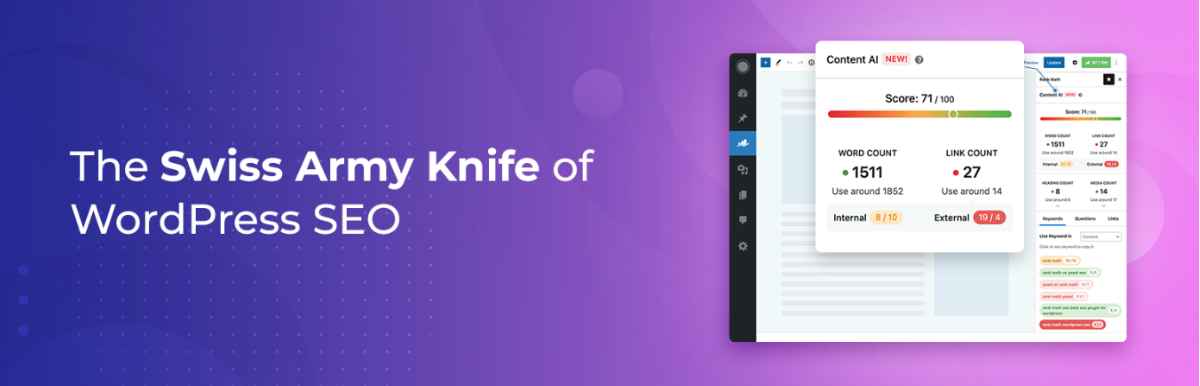
For example, if you manage a WordPress blog, Rank Math AI can help you research topics, generate articles, improve SEO titles and descriptions, and find relevant internal linking opportunities. It also helps you understand how your brand appears in AI-generated answers on platforms such as ChatGPT and Gemini.
Key Features:
- AI Content Writing: Generate blog posts, article outlines, product descriptions, and other website content using more than 40 AI writing tools.
- SEO Content Optimization: Research target keywords, discover related terms, and get AI-powered suggestions to improve your content.
- AI Titles and Meta Descriptions: Generate SEO titles, meta descriptions, and Open Graph text for your WordPress pages and posts.
- RankBot AI Assistant: Get assistance with topic research, content ideas, and SEO-related questions directly within WordPress.
- AI Internal Linking: Discover relevant linking opportunities, generate contextual link suggestions, and connect related posts.
- Link Health Analysis: Identify broken links, orphan pages, and linking issues that can affect website navigation and SEO.
- AI Search Visibility: Monitor brand mentions, citations, and visibility across supported AI platforms, including ChatGPT and Gemini.
- Competitor and Sentiment Analysis: Compare your brand’s AI search visibility with competitors and review how AI-generated answers describe your business.
Which AI WordPress Plugin Should You Choose?
There is no single AI plugin that handles every WordPress task equally well. The best choice depends on what you want to improve.
| Your Requirement | Plugin to Consider | Why |
|---|---|---|
| Add an AI chatbot to your website | AI Engine | Customizable chatbots and site-specific knowledge |
| Research keywords and write blog posts | GetGenie | Combines content writing and SEO research |
| Improve text while building Gutenberg pages | Kadence Blocks | Inline AI editing in Advanced Text |
| Manage translations across multiple languages | Polylang | Multilingual structure with automatic translation options |
| Translate website content visually | TranslatePress | Automatic translation and front-end editing |
| Translate plugin and theme interface strings | Loco Translate | PO/MO file editing and translation integrations |
| Create a new WordPress website using AI | ZipWP | Generates an initial website from a description |
| Answer common customer questions | Tidio | Lyro AI with knowledge-based answers and human handoff |
| Optimize content and internal linking | Rank Math AI | AI SEO tools, linking analysis, and visibility tracking |
Frequently Asked Questions
Are AI WordPress plugins free?
Many AI plugins offer free versions or limited free usage. However, the AI features may require an API key, subscription, or usage credits. Check the actual AI allowance rather than relying on whether the base plugin is free.
Can AI plugins automatically create WordPress blog posts?
Yes. Plugins such as GetGenie and AI Engine provide AI content generation, while Rank Math AI also includes long-form writing tools. The generated content should be checked for factual accuracy, usefulness, and relevance before publishing.
Which AI WordPress plugin is best for SEO?
GetGenie is useful for AI writing, keyword research, and competitor analysis. Rank Math AI offers content optimization along with internal linking and AI search visibility tools. Your choice depends on which SEO tasks you need help with.
Can AI translate my entire WordPress website?
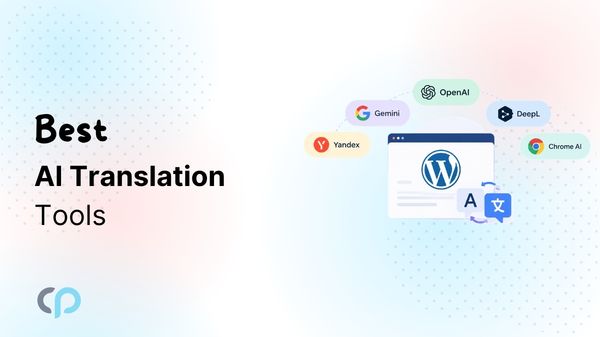
Some tools support automatic translation of website content, including TranslatePress AI and compatible Polylang translation addons. However, translation coverage varies by plugin and setup. Always check support for page builders, custom fields, products, menus, and SEO metadata before choosing.
Do AI WordPress plugins require an OpenAI API key?
Not necessarily. Some tools use their own subscription-based AI services, while others support providers such as Google, Anthropic, DeepL, or browser-based AI capabilities. The requirement depends on the plugin and the AI feature.
Can I use multiple AI plugins on one WordPress website?
Yes. For example, you could use one plugin for SEO content creation and another for customer support. However, test compatibility and avoid enabling unnecessary duplicate functionality. Also review the combined costs and data-processing requirements.
Is AI-generated WordPress content ready to publish?
Not automatically. AI-generated text may contain incorrect information, generic explanations, or outdated claims. Review it for accuracy, originality, readability, and usefulness before publishing, especially for technical, financial, legal, or health-related content.