When you are growing your WordPress Business, you often find yourself handling numerous tasks. Tasks such as SEO management, sending emails, data entry, and posting on social media consume a significant amount of your time & energy. I get it. It’s just straight up annoying.
These tasks are crucial for your business growth. But they don’t need your constant attention. The time spent on managing these tasks can be used to drive business development.
This is where top WordPress automation plugins come into play. Whether it’s automating your SEO processes or marketing workflows, automation allows businesses to work smarter, not harder.
This is precisely why I have written a guide that delves into the leading WordPress automation plugins. Read this whole article to find out more.
Why You Need Automation Plugins To Automate Your Business?
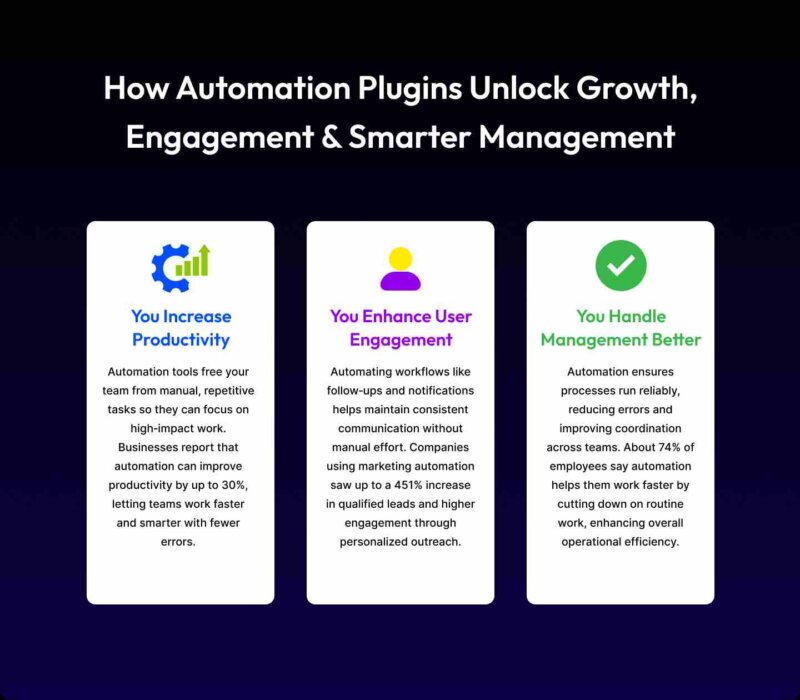
Notably, around 77% of WordPress users reported an increase in conversions due to marketing automation. It definitely makes one thing clear that automation helped many businesses outgrow their potential. Well, this is just the beginning.
Want to know more reasons why you need automation plugins to streamline your business? Dive right in here to learn about them:
You Increase Productivity
Imagine you own an online e-commerce store. As a small to large business owner, you get hundreds to thousands of orders daily. You manually list customers’ information in sheets. It consumes your time.
Not anymore. Using the automation tool, you can automate your repetitive tasks. It allows you to manage your other business tasks while these automation tools do their job perfectly.
You Enhance User Engagement
Imagine you are a social media marketer who posts on social media platforms daily. Well, everything seems fine until you get busy with other work and miss posting on time. In this situation, a social media automation tool helps you post consistently on time. The result? You get more user engagement.
You Handle Management Better
As a business or online store owner, you have to manage orders, track inventory, and whatnot. And, you need to nurture your leads, which includes sending them emails. But doing these tasks manually consumes a lot of your time.
So, what’s the solution? You can utilize a complex workflow automation tool that enables you to complete multiple tasks simultaneously.
Top WordPress Automation Plugins: Quick Comparison Table
| Plugins | Free Version | Starting Price | Best For |
| Bit Flows | Yes ✅ | Approx $119/year, lifetime plans from $189 | AI-powered workflow & task automation |
| AutoPoly | Yes ✅ | Starts around $49/Year | AI‑assisted content translation for Polylang sites |
| RankMath | Yes ✅ | Starts from $7.99/month | SEO optimization, schema, site analytics |
| CartFlows | Yes ✅ | Starts around $79/year for | WooCommerce funnel/checkout optimization |
| Bit Social | Yes ✅ | Starts around $99/One Time | Social auto‑posting and scheduling for WordPress |
| MemberPress | Yes ✅ | Starts around $179.50/year | Membership site creation, paid subscriptions, access control |
Top WordPress Automation Plugins
Whether you need a complex workflow automation system, SEO automation, or a social media autoposter, this guide will help you learn about some amazing automation plugins.
With these automation plugins, you can streamline your business’s marketing and management operations easily. Read below to explore the top WordPress automation plugins:
1. Workflow & Process Automation
Bit Flows – Multi-Step AI Workflow Automation

Bit Flows is a multi-step AI workflow automation plugin that lets you set up complex workflows easily with a drag-and-drop visual canvas builder. As a WordPress or e-commerce business owner, you need to manage customer queries, orders, ongoing sales activities, and other essential tasks.
Maybe you need to schedule meetings or send them marketing emails to grow your business. These tasks are part of the process. But I know what the daunting part here is. It is that doing these repetitive tasks manually and constantly, which are both time-consuming and tedious.
Honestly, with an automation plugin like Bit Flows, your task just got way easier. This plugin lets you integrate with over 252+ platforms, including Google Sheets, Google Calendar, WooCommerce, AI tools, etc. With this plugin, you don’t need to perform each task separately. You can sync customer data and automate marketing operations at the same time.
And the best part here? You can set up advanced multi-step automation using tools like router, conditions, delay, and more. As a business owner, if you want to automate your business and boost productivity at a reasonable cost, then Bit Flows is the solution you need.
Key Features:
- Connect Unlimited Platforms: You can integrate with over 252+ platforms, like Elementor, Google Sheets, MailChimp, etc.
- Unlimited Flow Execution: No limits to flow execution! With this plugin, you can set up unlimited workflows.
- Custom Trigger & Action: You can use custom triggers and actions to automate workflows.
- Advanced Conditional Logic: You can simplify your workflow using the advanced conditional logic and automate tasks using math, strings, and more.
- Supported Tools: This plugin allows you to use functions like Router, Delay, Conditions, Iterator, and Repeater, which let you set up advanced automation.
- AI Integrations: You can integrate AI tools like Claude, DeepSeek, Gemini, OpenAI, and Perplexity AI, which help you generate content, meta descriptions, keywords, and more.
Powerful Log System: This plugin lets you track your workflow activities with real-time logs and insights.
2. Translation & Localization Automation:
AutoPoly – AI Translation For Polylang
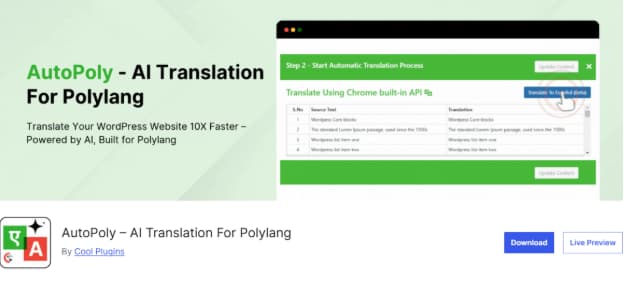
AutoPoly is an AI translation tool that translates your multilingual site into multiple languages in real-time. This addon translates your posts, content, images, meta fields, etc, so you don’t need to do a single translation manually. And you don’t even need to spend thousands on a professional translator, either.
What’s even better? You can effortlessly translate Gutenberg blocks and Elementor pages without losing the design. This translation automation plugin is also compatible with third-party blocks like Kadence, Spectra, Stackable, Otter, and Essential.
This plugin also supports ACF fields translation. It is important that custom field data created using ACF also appears correctly in each language version.
Whether you are a blogger, a SaaS, or an e-commerce store owner, you can use this translation plugin to reach a global audience. In this way, your business can make fast growth. And are you from a non-technical background? Don’t worry!
No technical knowledge required to use this plugin at all. Even though you come from a non-technical background, this plugin’s user-friendly interface will let you use this plugin easily.
Key Features:
- One-Click Duplication: You can duplicate the page’s default language into other languages using the one-click duplication. You don’t need to build each page manually every time.
- Automatic Content Translation: This plugin uses AI-powered translation to instantly translate your page across different languages. No need for manual intervention at all.
- Page Builder Support: You can easily translate your pages within popular page builders such as the Gutenberg block editor or Elementor. So, the page won’t break its layout, design, or widgets.
- Third-Party Block Compatibility: Even though you use non native WordPress block editors, this plugin will still translate your page, maintaining its whole structure as it is.
Easy-to-Use: This plugin is beginner-friendly. This tool provides you user-friendly interface. So, even if you don’t have technical knowledge, you can use this plugin easily.
3. SEO & Content Optimization Automation
RankMath – Best Free WordPress SEO Automation Tool

RankMath is an SEO automation plugin that optimizes your SEO tasks. With this plugin, you can easily optimize your website for search engines. Most of the time, you spend hours looking for mistakes or SEO improvements in the content.
It takes up a significant amount of your time reviewing multiple contents. It is both tiring and repetitive. So, what’s the solution? Wait. With RankMath, it’s way easier to optimize your website. This plugin automatically detects SEO errors. And it provides you with suggestions to improve your content for better search engine results.
This plugin also lets you use content AI that helps you write content instantly. And this doesn’t just stop here. With this plugin, you get 16+ types of schema markups/rich snippets that let you optimize your content fast. So, you don’t need to waste time writing snippets manually.
Key Features:
- Advanced Rank Tracking: Track keyword positions directly from your dashboard. Monitor growth and performance trends easily.
- Automatic SEO Reports: You will get weekly or monthly performance reports. Stay updated without manual checks.
- Optimize Keywords: You can optimize SEO friendly focus keywords to make it appear in search engine results better.
- Use Content AI: This plugin’s content AI feature helps you write SEO-friendly content. This AI doesn’t only help you generate articles, it also ensures your content serves well to visitors and search engines well.
4. Sales Funnel Automation
CartFlows – Sales Funnel Builder For WordPress

CartFlows is a WooCommerce checkout plugin that provides customers seamless cart experience. This plugin lets you create beautiful checkout and thank you pages. So, are you an e-commerce store owner? With this plugin, you can convert potential leads into buyers effortlessly.
This plugin also allows you to streamline the buying process, remove unnecessary fields, and finally increase customer satisfaction. The best part here? You can automate the process of displaying special offers to customers, which makes the buying process easier.
This plugin also provides you with automated tracking and reporting tools that give you an overview of the sales funnel in real time. Whether you want to increase conversions or optimize customer experience, this plugin is the right choice for you.
Key Features:
- Customizable Sales Funnel: This plugin allows you to create a highly customizable sales funnel, including landing pages, checkout pages, and thank-you pages.
- Optimized Checkout Pages: CartFlows replaces the default WooCommerce checkout with a more customized page that provides a better experience to customers.
- One-Click Upsells: CartFlows offers additional product suggestions to customers right before checkout.
5. Social Media & Engagement Automation
Bit Social – Social Media Scheduler and Auto Poster Plugin
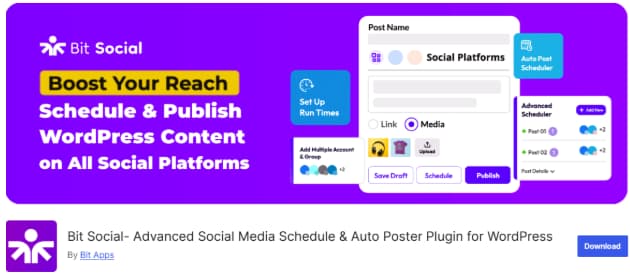
Bit Social is a social media autoposter plugin that allows you to share your posts automatically on multiple social media platforms. Most of the time, you can’t post on time because you get busy with other tasks. And it affects your social media presence. You also lose engagement.
Then, what’s the solution now? Well, this is exactly where the Bit Social plugin comes to help. With Bit Social, you can schedule your posts right at the time you want. This plugin supports social platforms like Facebook, Twitter, LinkedIn, and more.
This is far from finished yet. You also get an editorial calendar, which makes it easy for you to plan your content. You can share instant posts to the social media platforms without having to log in separately every time.
Key Features:
- WP Auto Post: The autopost feature lets you share your WordPress post to social media platforms when you turn on the option.
- WP Post Schedules: The WP post schedule helps you schedule your WordPress posts and share them on multiple social media platforms.
- Instant Sharing: You can create custom posts and share them on social media automatically. You don’t need to log in to each account separately.
- Templates: You can create custom templates using smart tags.
- Multi-Account Support: Connect multiple social profiles. Manage everything from one dashboard.
Logs: This feature provides an overview of your actions or activities with the exact date, time, and platform.
6. Membership & Subscription Automation
MemberPress – Membership & User Role Editor Plugin
MemberPress is a WordPress membership plugin that allows customers to create thank-you or login pages automatically. With this plugin, you can also set up user registration forms easily. And the main advantage of this plugin? You can restrict access to specific content based on membership levels.
You can set up membership plans, subscriptions, and pricing structures based on your needs. Are you a non-technical user? You won’t have to worry at all. From beginners to experts, you can easily use this plugin with its user-friendly interface.
Key Features:
- Content Dripping: You can release lessons or posts slowly over time. This keeps members coming back for more.
- Multiple Payment Options: Accept payments through Stripe, PayPal, and more. Charge one-time fees or recurring subscriptions easily.
- Smart Access Rules: Decide who can see specific content. Control access by page, post, or category.
- Multiple User Roles: You can assign multiple roles to any user using this membership plugin.
- Membership Level-Based Registration: Let users sign up for specific membership plans. Access to content is automatically controlled by their level.
Final Thoughts On the Top WordPress Automation Plugins
Managing a whole website can get tough at times. But it won’t have to be the same way forever. Using the automation tool, you can automate repetitive tasks. So, you won’t have to spend hours using these same tasks again and again.
Whether you want to automate your social media posts or SEO tasks, these automation tools make your job way easier. These automation plugins can streamline your business at a reasonable cost.
Frequently Asked Questions
Why Should I Use WordPress Automation Plugins?
WordPress automation plugins automate your repetitive tasks and save time. Meanwhile, you can get your other essential tasks done and increase your productivity.
Can Bit Flows help automate my daily business tasks?
Yes. Bit Flows lets you build workflows that handle repetitive tasks like data syncing, emails, and sales actions. You save time and focus on growth, not grunt work.
How Do Automation Plugins Handle Content Posting?
Automation plugins like Bit Social automate your WordPress posts by scheduling them at your preferred time. These plugins also offer advanced features that make it easy to manage your social media content.
Are Free Versions Good For Users?
Well, it depends on the plugin you are using. Most plugins offer free versions that help customers onboard their new business. But some plugins might offer no value-driven features in the free version. So, you need to decide wisely.
Do I Need Coding Skills For Automation Plugins?
No. You don’t need coding skills for automation plugins. By choosing automation plugins that provide you user-friendly interface, you won’t require extensive coding knowledge to use these plugins.
How does Bit Social make managing social posts easier?
Bit Social schedules and auto-posts your content to multiple platforms. No more logging in every time, your posts go out on time, every time.
Can WordPress Automation Plugins Help With SEO?
Yes. WordPress automation plugins can help you with SEO automation. With an SEO automation tool, you can automatically detect SEO mistakes or errors in a blog. And a few plugins, like RankMath, will also suggest improvements.