All Plugins » Elementor Form Addons » FormsDB
Share it:
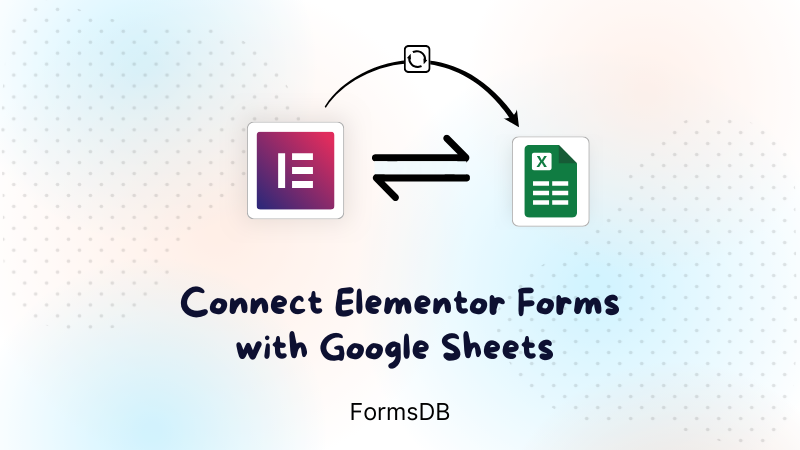
FormsDB For Elementor Forms is a powerful plugin that helps you store and manage Elementor form submissions effortlessly. It automatically saves every form entry to Google Sheets or WordPress post types in real time, ensuring your data stays organized, accessible, and secure. FormsDB works as a seamless bridge between Elementor Forms and Google services, making it easy to track, analyze, and share form data without manual exports.
4.6 / 5 rating based on 20+ 5 star reviews…

 Making forms with Elementor Pro? Then this just became mandatory for you.
 They have amazing plugins and they provide great support with a prompt response.
 The right plugin! Finally there is a plugin for collecting mail. Thanks for him!
 A must-have for anybody using Elementor. Easy to use and does exactly what is required.

 Great plugin – this is actually a must have if you use elementor forms

FormsDB for Elementor Forms automatically saves Elementor form submissions to Google Sheets or WordPress post types in real time, keeping your data organized and accessible.
No. FormsDB works with From Lite available in Hello Plus and does not require Elementor Pro, allowing you to save form submissions without upgrading.
Yes. Once connected via a Google API authentication token, every new form submission is instantly saved as a new row in your selected Google Sheet.
You need to enable both the Google Drive API and Google Sheets API in the Google Cloud Console for proper data syncing.
Yes. FormsDB can save form entries to WordPress Posts, Pages, or any other custom post types using the “Save Submissions in Post Type” action.
Yes. You can connect multiple Elementor forms and choose different Google Sheets or post types for each form.

Cool FormKit adds fields like signature, star rating, and sliders to Elementor Forms for more advanced, interactive form building.
20000+
Active Installs

(40+)

10000+
Active Installs
(10+)
Show or hide Elementor form fields based on user input with this addon—no coding needed for smarter, cleaner forms.
10000+
Active Installs
(25+)
Manage your preferences. Blocking some cookies may affect site features. You can find more information in our Cookie Policy and Privacy Policy.
Your browser is sending a Global Privacy Control signal, so advertising cookies stay off and that choice cannot be switched on here. Everything else is still yours to decide.
Essential cookies for site security, functionality and basic preferences.
| Cookie | Set by | Kept for |
|---|---|---|
cppb_consent
Stores the visitor's consent decision so the banner is only shown once.
|
CP Cookie Banner | configurable (default 365 days) |
Remember your preferences, like language and layout, for a better site experience.
| Cookie | Set by | Kept for |
|---|---|---|
cppt_session
Marks the current browsing session, so that a visit arriving from another website is credited once per session rather than on every page view. Contains no identifier.
|
Cool Plugins — CP Pricing Table | Session |
pll_language
Saves the chosen language.
|
Polylang | 1 year |
wp-settings-1
Stores user admin preferences.
|
WordPress core | 1 year |
wp-settings-time-1
Stores timestamp of WordPress admin preference change.
|
WordPress core | 1 year |
Help us improve the site using anonymous usage data, without personal targeting.
| Cookie | Set by | Kept for |
|---|---|---|
_clck
Persistent user identifier for session linking.
|
Microsoft Clarity | 1 year |
_clsk
Connects pageviews into a single session recording.
|
Microsoft Clarity | 1 day |
_ga
Distinguishes unique users.
|
Google Analytics | 2 years |
_ga_942V83ZG8Q
Persists session state per GA4 property.
|
Google Analytics 4 | 2 years |
Used to deliver and measure ads on this site and across the web.
| Cookie | Set by | Kept for |
|---|---|---|
_fbp
Identifies browsers for ad delivery and site analytics.
|
Meta (Facebook) Pixel | 90 days |
_gcl_au
Stores conversion linker information for Google Ads.
|
Google Ads | 90 days |
_rdt_uuid
Unique visitor identifier for Reddit ad attribution.
|
Reddit Pixel | 3 months |
_twpid
Identifies the browser to X so ad conversions can be attributed.
|
X (Twitter) Pixel | Session |
_twsid
Session identifier used by the X conversion pixel.
|
X (Twitter) Pixel | Session |