
All Plugins   »  Cool Flipbook

Share it:

cool flipbook logo

3D PDF Flipbook for WordPress

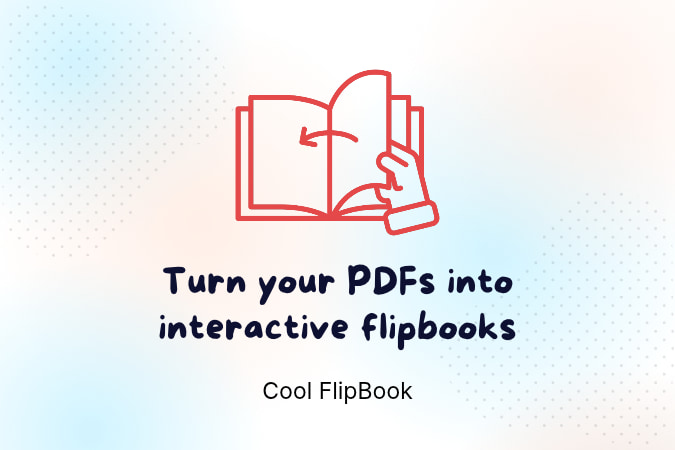
Turn any PDF into a realistic 3D page-turning flipbook with smooth animations, shadows, zoom, and thumbnails. Embed it anywhere with a simple shortcode.

5,000+

Active Installs

100+

5 Star Reviews

4.8

Overall Rating

Cool Plugins Team Members
Excellent Support Team
cool flipbook logo

Cool Flipbook

Download Cool Flipbook and give your PDFs a real book-like reading experience today!
Main Benefits

Cool Flipbook

Cool Flipbook – PDF Flipbook & PDF Embedder is a simple yet powerful WordPress plugin that lets you turn PDF files into interactive 3D flipbooks to display content on your website.

Whether you want to showcase catalogs, brochures, magazines, or e-books, this plugin allows you to create page-turning flipbooks that visitors can read, zoom, and navigate like a real book. It works smoothly with any page or post using a simple shortcode.

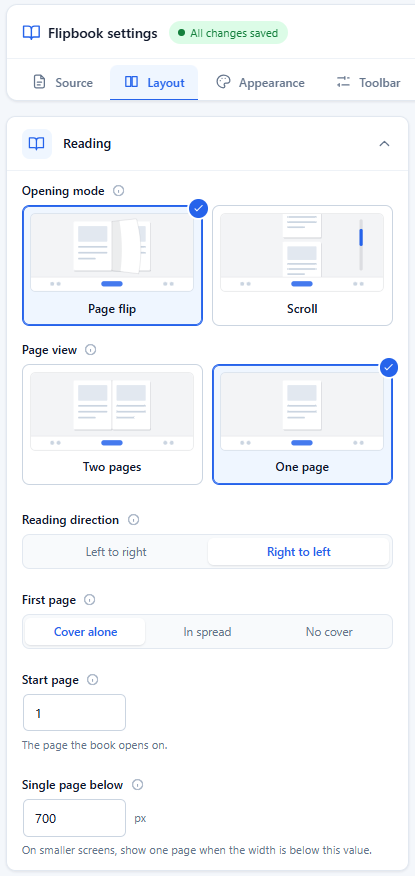
Cool Flipbook Layout Settings

Control how your flipbook opens, how pages are displayed, and where it sits on your page

  • Opening Mode: Choose Page Flip for a book-style page turn or Scroll for continuous reading.
  • Page View: Show two pages side by side like an open book, or one page at a time.
  • Reading Direction: Switch between left-to-right and right-to-left to suit different languages.
  • First Page: Show the cover alone, place page 1 inside a spread, or hide the cover completely.
  • Start Page: Set which page the flipbook opens on when visitors load it.
  • Single Page Below: Automatically switch to a single-page view on screens narrower than your chosen pixel width.
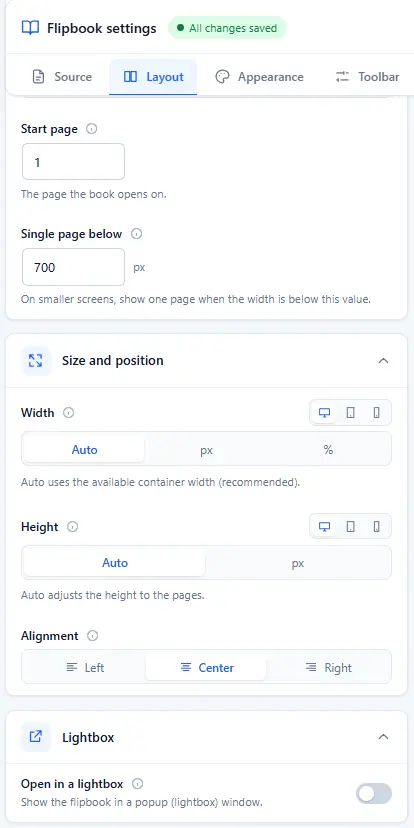
  • Width: Keep it automatic to fit the container, or set a fixed width in px or %, separately for desktop, tablet, and mobile.
  • Height: Let the height adjust to the pages automatically, or set a fixed height in px for each device.
  • Alignment: Place the flipbook on the left, center, or right of your page.
  • Open in a Lightbox: Show the flipbook in a popup window instead of inline on the page.

Cool Flipbook Appearance and Toolbar Settings

Match the flipbook to your site’s design and choose which reading tools your visitors can use.

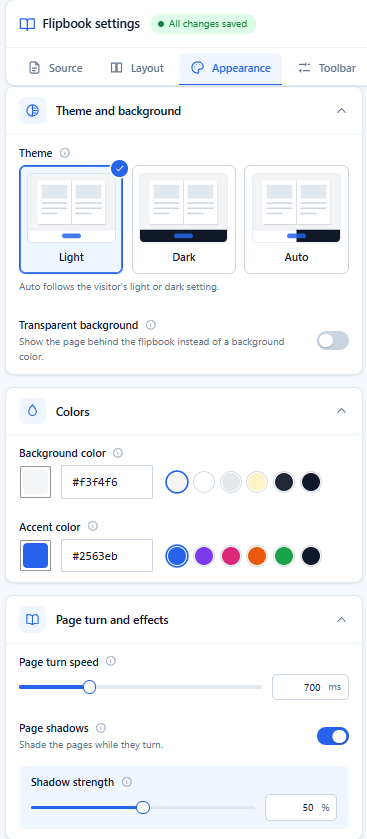
Appearance Settings

  • Theme: Pick Light or Dark, or choose Auto to follow the visitor’s device setting.
  • Transparent Background: Show your page behind the flipbook instead of a solid background color.
  • Background Color: Choose from preset colors or enter any hex code to match your website.
  • Accent Color: Set the color of buttons and highlights to fit your brand.
  • Page Turn Speed: Control how fast pages flip, from quick to slow and smooth.
  • Page Shadows: Add shadows while pages turn for a realistic, book-like feel.
  • Shadow Strength: Adjust how light or deep the page shadows appear.

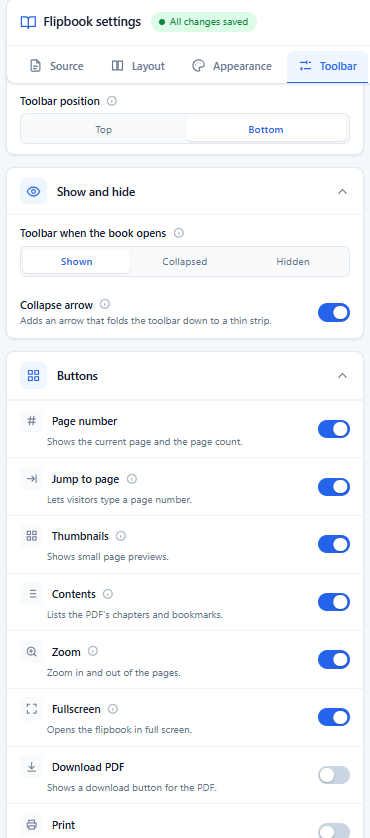
Toolbar Settings

  • Toolbar Position: Place the toolbar at the top or bottom of the flipbook.
  • Toolbar When the Book Opens: Show it, collapse it to a thin strip, or hide it when the flipbook loads.
  • Collapse Arrow: Let visitors fold the toolbar down to a thin strip with one click.
  • Page Number: Show the current page and total page count.
  • Jump to Page: Let visitors type a page number to go straight to it.
  • Thumbnails: Display small page previews for quick navigation.
  • Contents: List the PDF’s chapters and bookmarks for easy browsing.
  • Zoom: Let visitors zoom in and out of the pages.
  • Fullscreen: Open the flipbook in full screen for distraction-free reading.
  • Download PDF: Add a button so visitors can download the original PDF.
  • Print: Let visitors open the PDF in a new tab to print it.

Reviews

4.8 / 5 rating based on 100+ 5 star reviews…

FAQs

What is Cool Flipbook?

Cool Flipbook is a WordPress plugin that turns your PDF files into interactive flipbooks. Visitors can read your PDF like a real book, turn pages, zoom in, and move between pages on your website.

Upload your PDF, customize the flipbook, and copy the shortcode the plugin gives you. Paste it into any page, post, or other area that supports shortcodes, and your flipbook will appear.

Yes. You can choose between Page Flip mode and Scroll mode. You can also show one page at a time or two pages side by side.

Yes. You can set the width and height for desktop, tablet, and mobile. You can also choose a screen size below which the flipbook switches to a single-page view, and the live preview lets you check how it looks on each device before publishing.

Yes. You can choose a Light, Dark, or Auto theme, change the background and accent colors, adjust the page-turn speed, and turn page shadows on or off. You can also pick which toolbar buttons visitors see, such as page number, thumbnails, zoom, fullscreen, download, and print.

You can download Cool Flipbook directly from WordPress.org.