
Language Switcher For Polylang
Active Installs
5 Star Reviews
Overall Rating




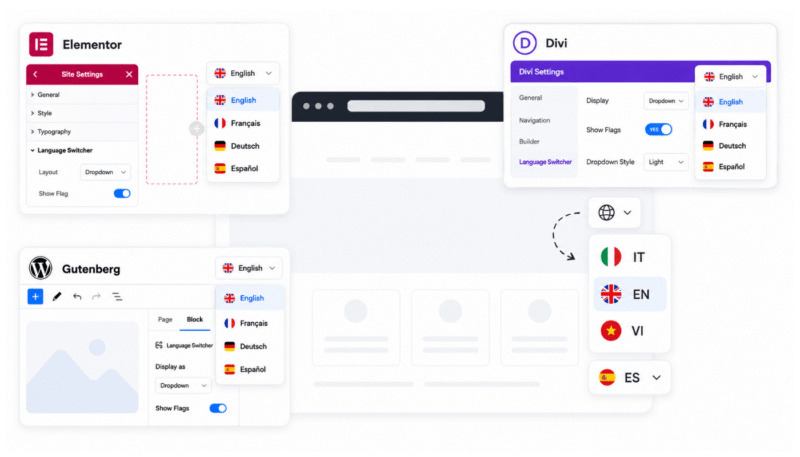
Add multilingual switchers inside popular WordPress builders with dedicated integrations for:
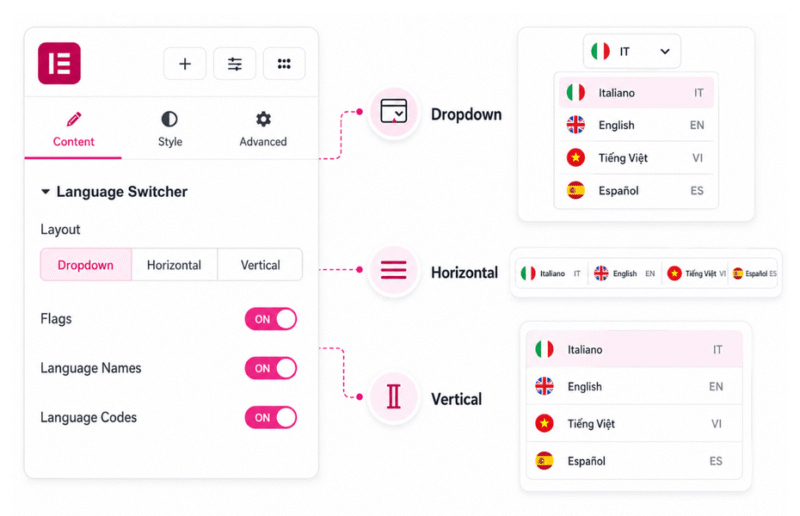
Add a language switcher in Elementor using advanced layouts and customization settings:
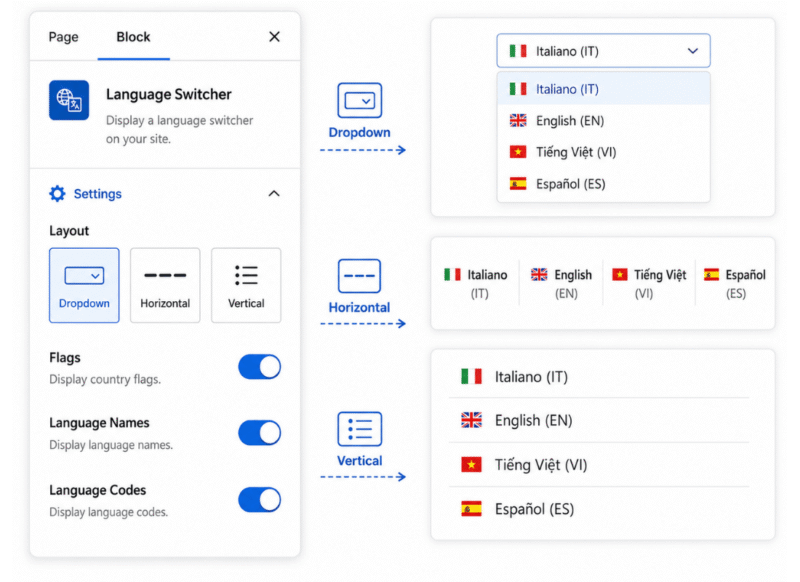
Add a Gutenberg language switcher using advanced layouts and customization settings:
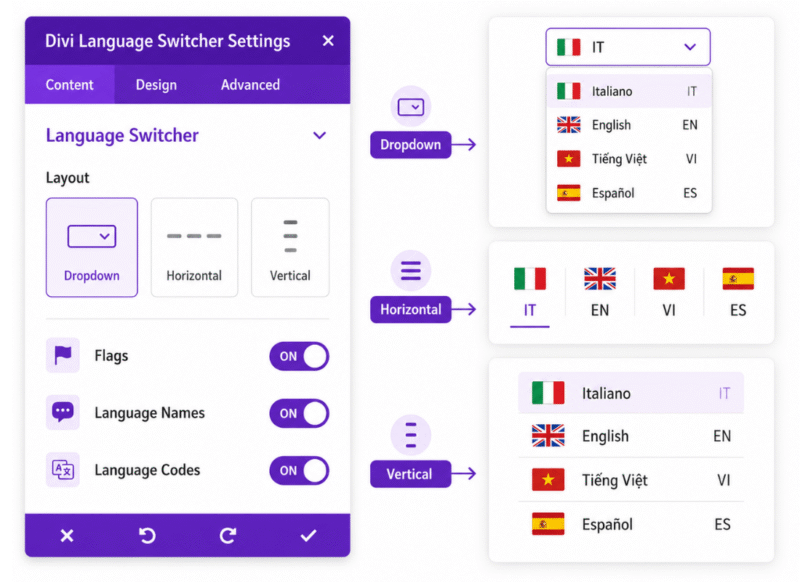
Add a Divi language switcher using advanced layouts and customization settings:
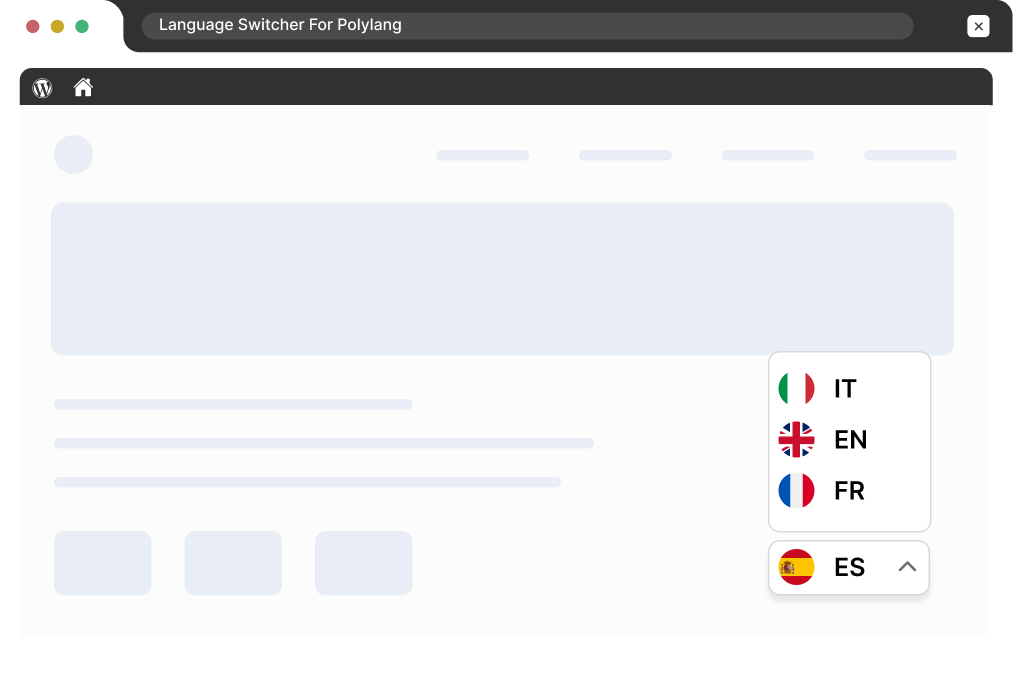
Enable a floating language switcher for quick access across your website and customize its style and placement to match your design.
Built for Polylang
A simpler way to build advanced multilingual experience that easily integrates into your existing WordPress workflow.
Add and style language switchers
without without writing custom code or CSS.
Add switchers directly in supported builders
without managing separate menus.
Works with both Polylang Free and Pro without changing your multilingual setup.
Keep your language switcher responsive across desktop, tablet, and mobile devices.
Show or hide language options for untranslated version of the page.
Adjust the switcher layout, colors, flags language names, & other display options.
Stuck somewhere? Reach out to our helpful team for fast and friendly assistance.
Yes. You can use the plugin with both Polylang Free and Polylang Pro. You do not need Polylang Pro just to use the language switcher, builder integrations, floating switcher, or the related display options provided by this plugin.
Yes. The plugin adds a dedicated Language Switcher widget for Elementor. You can place it inside pages, headers, footers, or other Elementor templates.
Additionally, choose different layouts and control display options such as flags, language names, language codes, and other settings directly from Elementor.
Yes. Along with Elementor, the plugin provides dedicated integrations for Gutenberg and Divi.
In Gutenberg, you can add the language switcher as a block. In Divi, you can add it as a module. This makes it easier to place the switcher inside your layout without relying only on a menu-based language switcher.
Yes. The plugin includes a Floating Language Switcher that can be enabled from the plugin settings.
It appears across the website without requiring you to manually add a switcher to every page or template. You can choose its position and available styles, then customize it to better match your website.
Yes. You can control what information appears inside the switcher.
For example, you can display language flags, full language names, language codes such as EN, FR, or DE, or use the available combinations depending on the selected switcher layout.
Yes. If a page has not been translated into a particular language, you can choose to hide that language from the switcher.
This helps avoid sending visitors to a language option where the corresponding translated page is not available.
Yes. The plugin provides styling controls so the switcher can better match the rest of your website.
Depending on the integration you are using, you can customize options such as layout, colors, typography, spacing, borders, flags, language names, and language codes.
Not when you are using the dedicated builder integrations.
For example, in Elementor you can add the switcher directly as a widget, in Gutenberg as a block, and in Divi as a module. This is useful when you want to place the switcher directly inside a custom header, footer, or page layout instead of managing it through a separate menu.
Yes. Elementor templates created before Polylang is configured may not have a language assigned to them, which can prevent the normal translation options from appearing.
The plugin includes Elementor template functionality that helps assign the required language information so those templates can be managed and translated through Polylang more easily.
When you create translated versions of Elementor templates, such as separate headers for different languages, their display conditions may not always behave as expected.
The Template Sync feature helps keep the relevant display conditions synchronized between translated templates. This helps ensure that the correct translated template is used on the corresponding language version of the site.
No. Language Switcher for Polylang is not an automatic translation plugin.
It focuses on how visitors switch between the languages already managed through Polylang, along with builder integrations, the floating switcher, and Elementor template-related functionality.
Your posts, pages, products, or other website content still need to be translated and managed through Polylang or your existing translation workflow.
We offer a 14-day refund policy. If you are not satisfied with the plugin for any reason, you can request a refund within 14 days of your purchase. For full details, visit our Refund Policy Page.
Manage your preferences. Blocking some cookies may affect site features. You can find more information in our Cookie Policy and Privacy Policy.
Your browser is sending a Global Privacy Control signal, so advertising cookies stay off and that choice cannot be switched on here. Everything else is still yours to decide.
Essential cookies for site security, functionality and basic preferences.
| Cookie | Set by | Kept for |
|---|---|---|
cppb_consent
Stores the visitor's consent decision so the banner is only shown once.
|
CP Cookie Banner | configurable (default 365 days) |
Remember your preferences, like language and layout, for a better site experience.
| Cookie | Set by | Kept for |
|---|---|---|
cppt_session
Marks the current browsing session, so that a visit arriving from another website is credited once per session rather than on every page view. Contains no identifier.
|
Cool Plugins — CP Pricing Table | Session |
pll_language
Saves the chosen language.
|
Polylang | 1 year |
wp-settings-1
Stores user admin preferences.
|
WordPress core | 1 year |
wp-settings-time-1
Stores timestamp of WordPress admin preference change.
|
WordPress core | 1 year |
Help us improve the site using anonymous usage data, without personal targeting.
| Cookie | Set by | Kept for |
|---|---|---|
_clck
Persistent user identifier for session linking.
|
Microsoft Clarity | 1 year |
_clsk
Connects pageviews into a single session recording.
|
Microsoft Clarity | 1 day |
_ga
Distinguishes unique users.
|
Google Analytics | 2 years |
_ga_942V83ZG8Q
Persists session state per GA4 property.
|
Google Analytics 4 | 2 years |
Used to deliver and measure ads on this site and across the web.
| Cookie | Set by | Kept for |
|---|---|---|
_fbp
Identifies browsers for ad delivery and site analytics.
|
Meta (Facebook) Pixel | 90 days |
_gcl_au
Stores conversion linker information for Google Ads.
|
Google Ads | 90 days |
_rdt_uuid
Unique visitor identifier for Reddit ad attribution.
|
Reddit Pixel | 3 months |
_twpid
Identifies the browser to X so ad conversions can be attributed.
|
X (Twitter) Pixel | Session |
_twsid
Session identifier used by the X conversion pixel.
|
X (Twitter) Pixel | Session |