Selling products alone is tough. Ads are expensive, SEO takes time and social reach is unpredictable. Thus, relying on a single marketing channel is no longer sustainable for WooCommerce store owners.
That’s where affiliate marketing comes in.
By launching an affiliate program for your WooCommerce store, you can turn customers, bloggers, and creators as s sales team who promote your products and earn a commission for every sale they drive. You only pay when you make a sale, making it one of the low-risk, high-ROI marketing strategies.
Thinking about starting an affiliate program for WooCommerce, but not sure where to begin?
This guide will walk you through everything you need to know to run a successful affiliate program for your WooCommerce store. So, let’s begin.
Benefits of Running an Affiliate Marketing Program
Running an affiliate program comes with a good share of advantages that are simply too hard to ignore, such as:
- Boost Sales Without Ads: Affiliates promote your products for you, meaning you get more WooCommerce sales without spending on advertising upfront.
- Expand Reach Quickly: Your products reach new audiences via their networks and social media platforms, building real trust.
- Performance Based Marketing: You pay only when a sale happens. So no risk of unprofitable spending.
- Builds Brand Credibility: Affiliates often recommend products to audiences that trust them, which ends up boosting conversions, too.
- Trackable Results: The affiliate plugins give real time statistics. Thus, you can know which affiliates bring the best results, leaving no room for mistakes or errors.
- Encourage Loyal Customers: Even your existing customers can become affiliates with the right strategy.
Creating an Affiliate Program for WooCommerce
Affiliate programs aren’t just for big brands.
- Online stores use them to boost sales.
- Creators use them to promote digital products.
- Membership sites use them for recurring income.
All it takes is one dedicated WooCommerce affiliate plugin to manage EVERYTHING, and that’s exactly where AffiliatePress takes the spotlight. It is one of the most reliable affiliate plugins that allows you to create and run your own affiliate program with zero coding.
Here’s how to start a WooCommerce affiliate program with AffiliatePress:
1. Install and Activate AffiliatePress
First, visit the AffiliatePress official website and get your preferred version. Once you have the zip file of AffiliatePress, go to your WordPress dashboard > Plugins > Add Plugin.
Now simply upload the zip file by clicking on “Upload Plugin”, then click on “Install Now” followed by “Activate Plugin”.
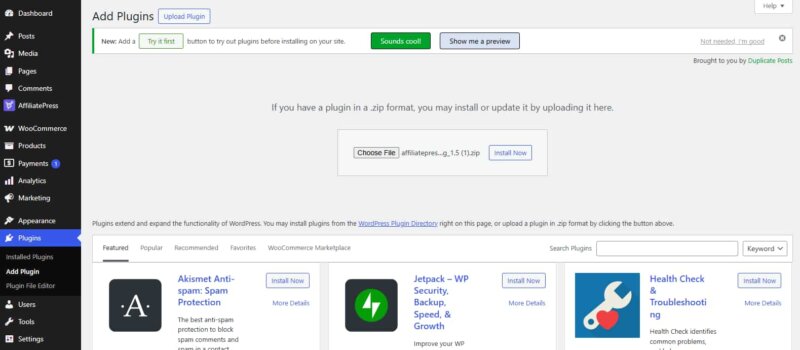
The plugin also comes with a free version, so you can even start with that to test and upgrade to the pro version anytime.
2. Set Up Your Affiliate Program
Once AffiliatePress is installed and activated, starting your affiliate program is an easy peasy. AffiliatePress comes with a smart setup wizard that leads the way for all the important steps.
Just go with the flow and let AffiliatePress take the lead:
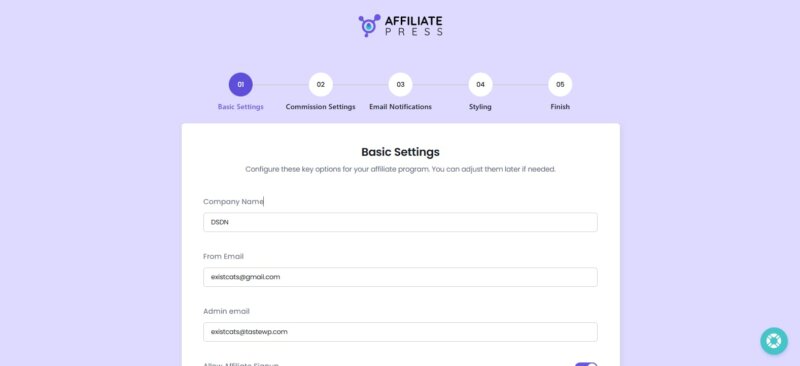
When this setup wizard is completed, your affiliate program is ready to get new affiliates and grow revenue.
Once everything is set, go to AffiliatePress > Settings > Integrations > Turn on WooCommerce integration.
3. Enable Affiliate Registration
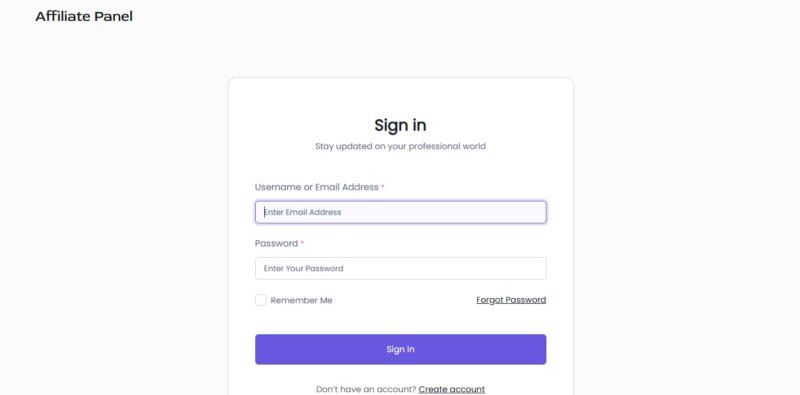
Now your affiliate program is all set to go, it’s time to let people join it. AffiliatePress makes this process smooth and beginner friendly.
No complicated forms or manual setups! Here’s what you can set things up:
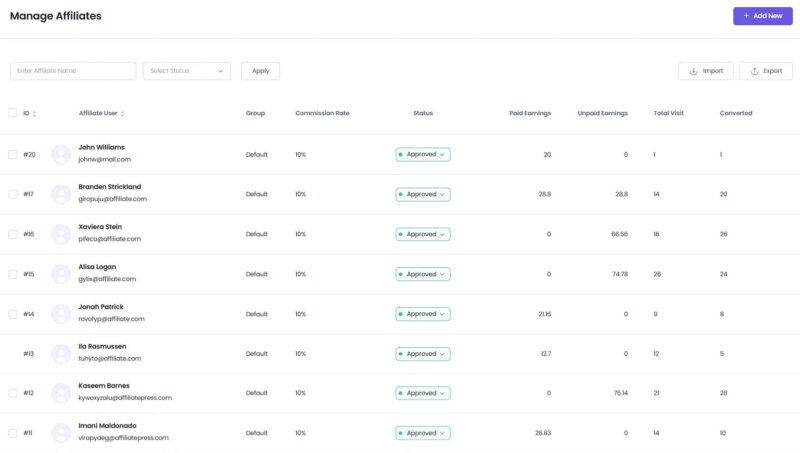
- Allow Affiliate Registration: Let users sign up as affiliates right from your site.
- Auto Approve & Activate New User Registration: AffiliatePress lets you set auto approve for onboarding new affiliates, saving hours on your day to day agenda.
- Custom Affiliate Signup Form: Add or remove custom fields based on what info you want from affiliates, such as social links, payment info, and so on.
- Show Signup with ease: Use a shortcode to display the affiliate signup form on landing pages, posts, or dedicated affiliate pages.
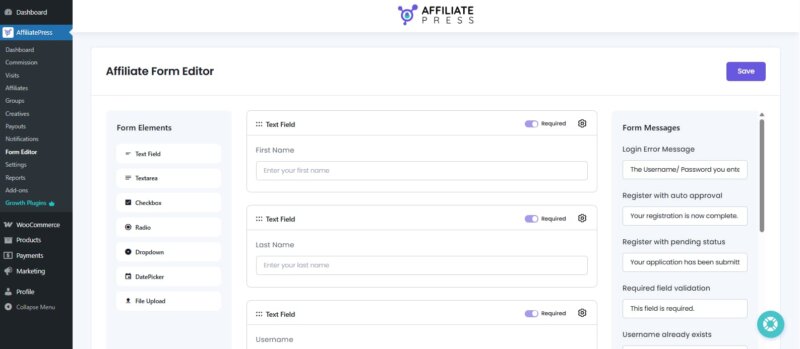
Once everything is set, anyone interested in promoting your WooCommerce products can sign up in a minute.
4. Create Affiliate Links & Coupons
Once affiliates are registered, they need easy and reliable ways to promote your WooCommerce products. This is where AffiliatePress really shines.
AffiliatePress automatically generates unique referral links for each affiliate. These links track every visit, click and conversion in real time. Thus, your affiliates receive credit for every sale they generate. Affiliates can simply copy their links from their dashboard and start promoting your store on blogs, social media, YouTube descriptions, or email campaigns.
But links aren’t always enough. Many creators prefer promoting products using coupon codes or QR codes, especially in videos, podcasts, live streams, or offline promotions.
With AffiliatePress, you can assign unique coupon codes and QR codes to affiliates, and every time a customer uses that coupon or scans the QR code, the sale is tracked automatically.
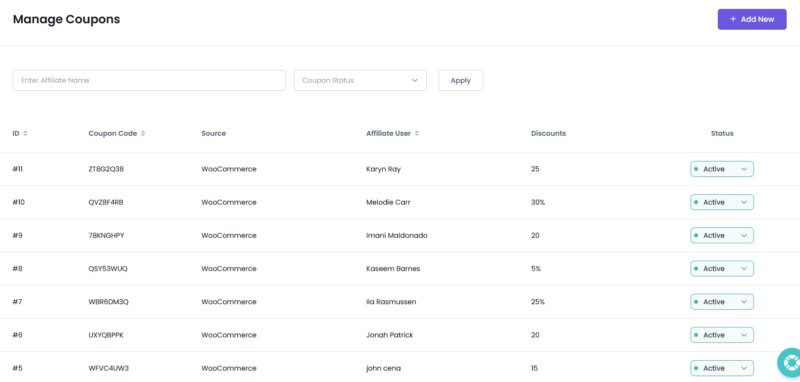
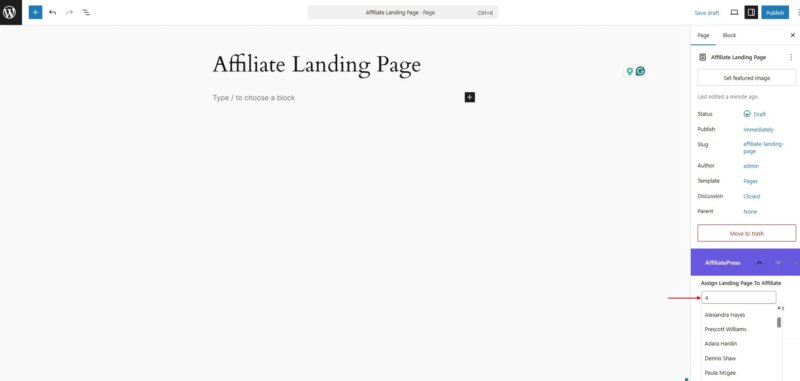
With AffiliatePress, you can even create personalised landing pages for affiliates to boost conversions in an SEO friendly way. Also, each landing page will be tracked automatically, so no worries.
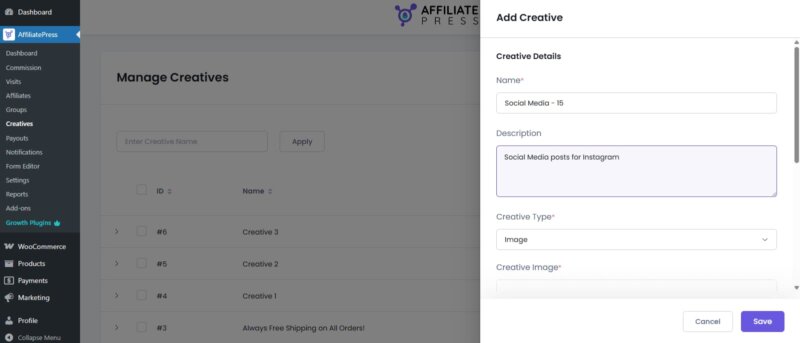
To make promotion even easier, AffiliatePress also allows you to offer endless affiliate creatives. You can offer social media images, banners, text links and HTML creatives.
Firstly, go to AffiliatePress > Creatives > Add New. From here on, you can simply create add creatives for your affiliates to promote your brand the way you want. This way, affiliates get ready to post assets, and you make sure your brand looks picture-perfect with the right branding message.
5. Track Performance & Manage Payouts
Once your affiliate program is live, keeping track of performance and handling payouts becomes the most important part. And no one understands it better than AffiliatePress.
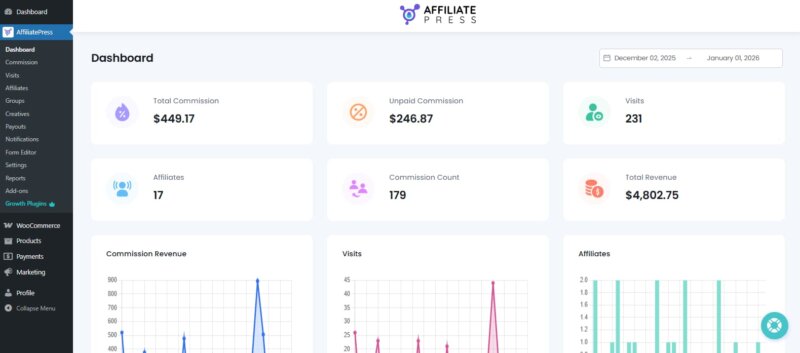
You can keep an eye on EVERY aspect of your affiliate program from a single dashboard where every activity is tracked automatically. From visits, clicks and conversions to commissions and top performing affiliates, everything is visible in one dashboard.
AffiliatePress also takes the headache out of payouts. Simply go to AffiliatePress > Payouts to see all paid and unpaid commission payouts. No matter whether you prefer automated payouts via PayPal or Stripe or simple manual control, the system adapts to your workflow
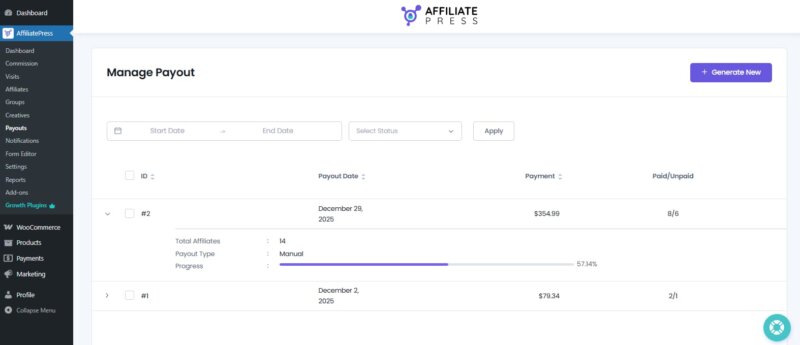
With accurate tracking and one click or automatic payouts, you spend less time managing operations and more time growing your WooCommerce store. Your affiliates stay motivated, and your program runs smoothly without constant supervision.
Why AffiliatePress Works Well with WooCommerce
AffiliatePress is created with WooCommerce users in mind. Like other affiliate plugins, it doesn’t try to overcomplicate things.
- AffiliatePress smoothly integrates with WooCommerce to track and manage sales in real time.
- User friendly interface yet powerful affiliate management features.
- Multiple smart commission structures such as product based, group wise, tiered, recurring, multi-level and lifetime.
- Secured one click and automatic payout via PayPal and Stripe.
- Advanced affiliate statistics with real time reports and charts.
- Smart fraud detection to track and prevent affiliate fraud.
- Offer unlimited affiliates, creatives, commissions and payouts.
- No middleman or network fee; Just revenue split between you and your affiliates.
- 23+ free integration with powerful tools.
Start Your Affiliate Program For Your WooCommerce Store Right Away
Growing your WooCommerce store doesn’t have to mean spending more on ads or chasing traffic that may never convert. An affiliate program gives you a smarter, more reliable and risk-free way to grow by letting others promote your products for you.
With AffiliatePress, starting an affiliate program for WooCommerce is child’s play. Just a few clicks and your affiliate marketing program is ready to kickstart. Create a team of partners who genuinely want to promote your brand.
Start your WooCommerce affiliate program today with AffiliatePress and let your growth happen naturally.