Elementor and Divi are two of the most popular WordPress page builders, widely used by beginners, designers, and developers to create professional websites without coding. While both offer powerful visual editing capabilities, they follow different approaches in terms of usability, performance, pricing, and flexibility.
If you’re confused about which one to choose, this guide will help you decide the best option for your website. But before comparing them, let’s first understand what each page builder is.
What Is Elementor?
Elementor is a visual drag-and-drop page builder plugin for WordPress that allows users to design pages in real time. It offers a front-end editing experience where you can see changes instantly as you build your layout.
Elementor comes with a wide range of widgets such as headings, images, buttons, forms, sliders, and more, and advanced styling options, responsive controls, and layout flexibility.
What Is Divi?
Divi is a premium WordPress page builder developed by Elegant Themes. Unlike Elementor, Divi works as both a theme and aplugin, giving users the flexibility to use it with any WordPress theme.
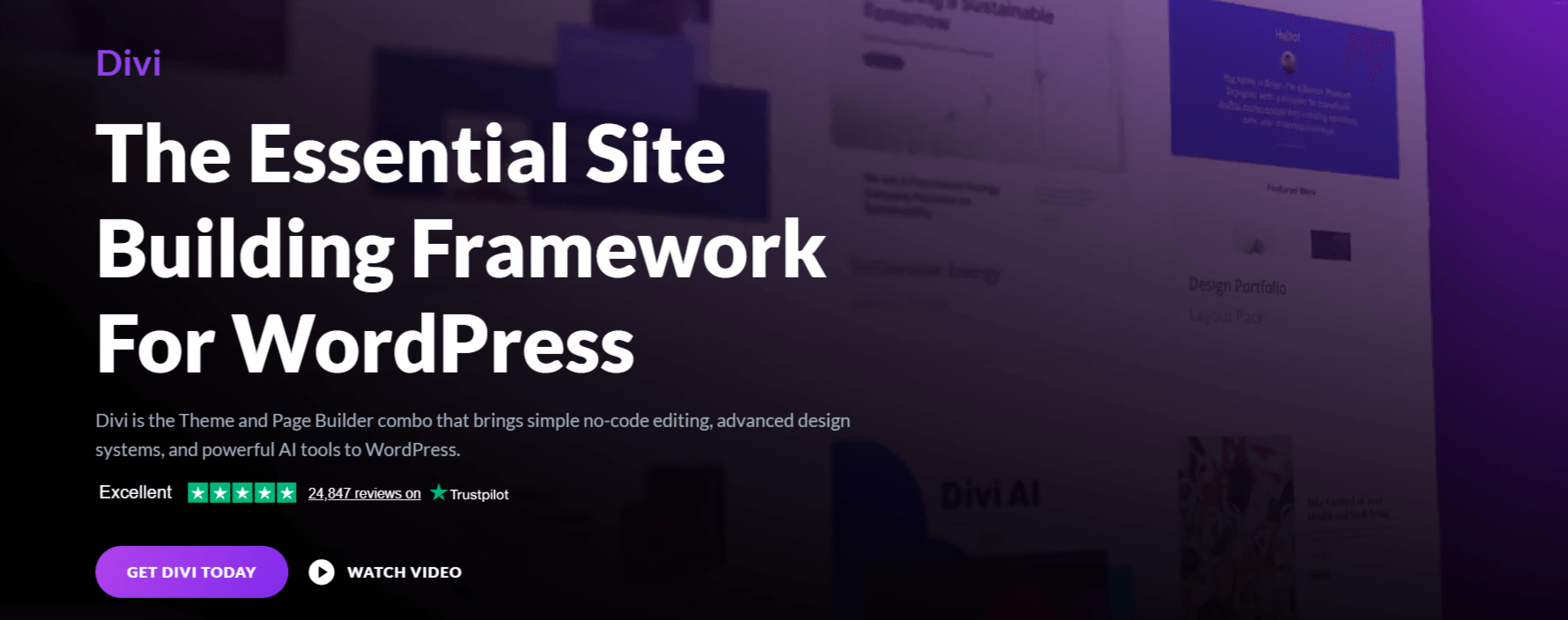
Divi uses a visual editor that allows users to build pages using modules, rows, and sections. It also comes with a massive library of pre-made layouts and design packs, making it easier to build full websites quickly.
Elementor vs Divi: Key Factors to Consider
Now that we understand both, let’s compare Elementor and Divi based on the following important factors:
Cost Comparison
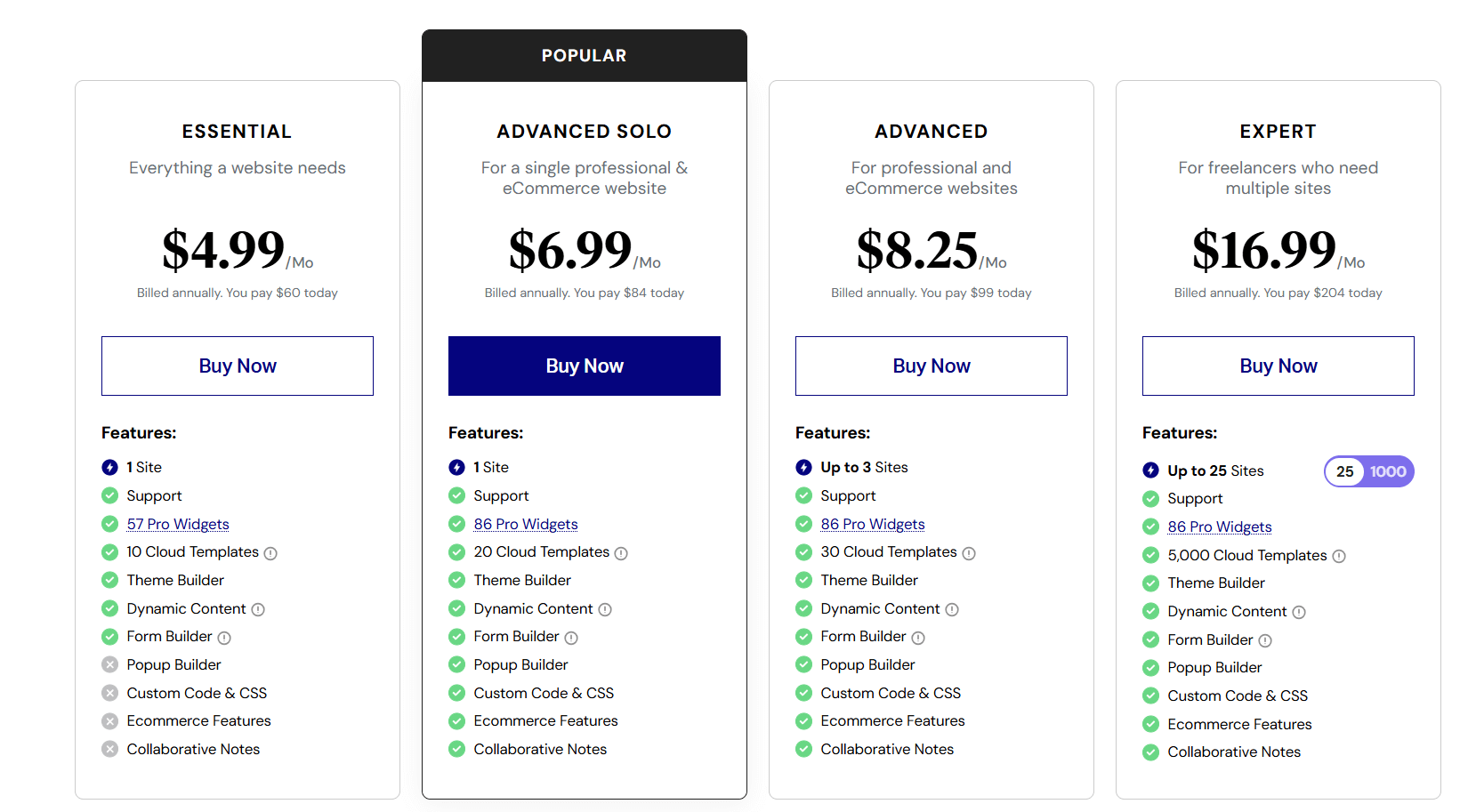
Cost is often the first thing users consider. Elementor has a free version that is great for beginners or simple websites. You can build basic pages, add images, buttons, and forms without spending a penny. If you want advanced features like Theme Builder, WooCommerce customization, or dynamic content, you’ll need Elementor Pro, which starts at $59 per year for a single site. This makes it easy to start small and upgrade later if needed.
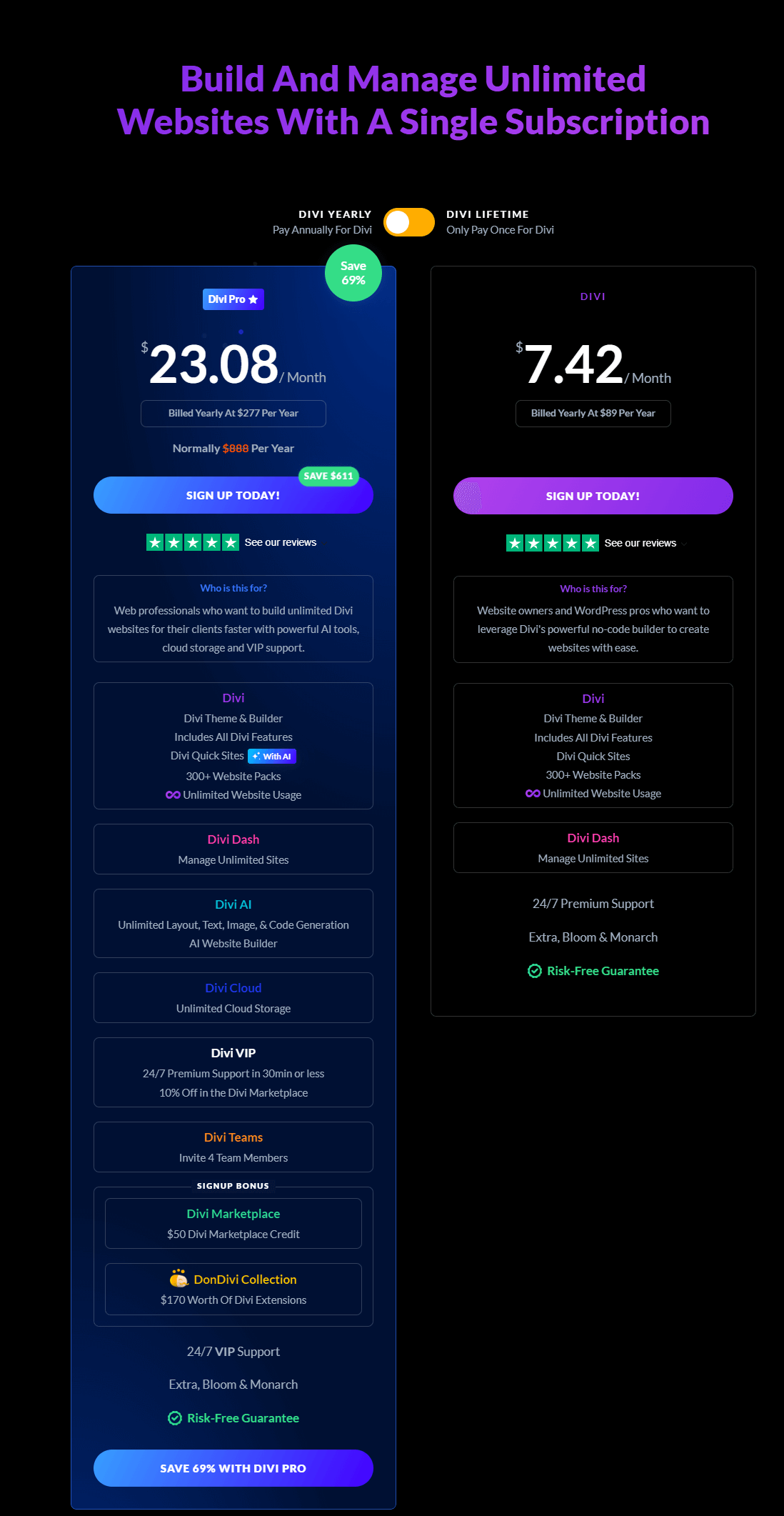
Divi works differently. There is no free version, so you must pay to use it. The yearly plan costs $89, but it works on unlimited websites. There is also a lifetime option, where you pay once and get access forever. This is very cost-effective if you manage multiple sites or build websites for clients.
Ease of Use
Ease of use is one of the biggest differences between Elementor and Divi.
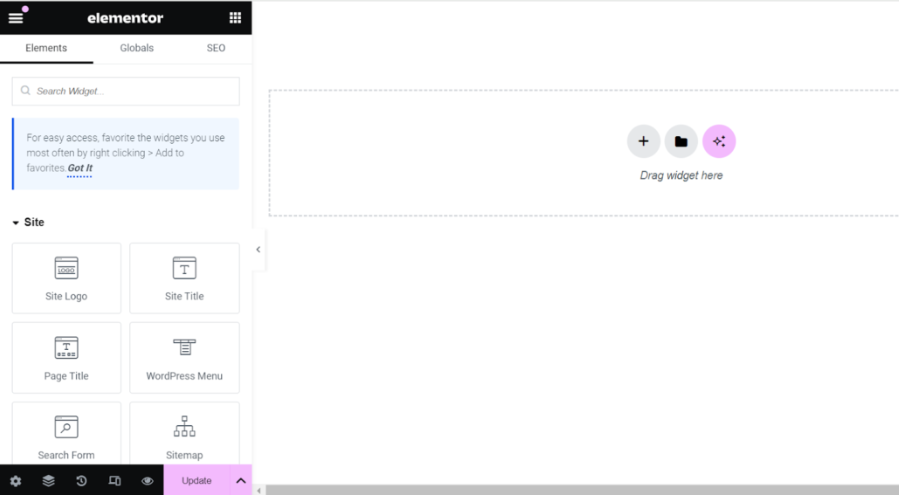
Elementor is known for its user-friendly interface and is often praised for it. You drag and drop elements like text, images, buttons, or forms. Changes appear instantly, so you can see exactly how your page will look. Beginners often find Elementor easier to use.
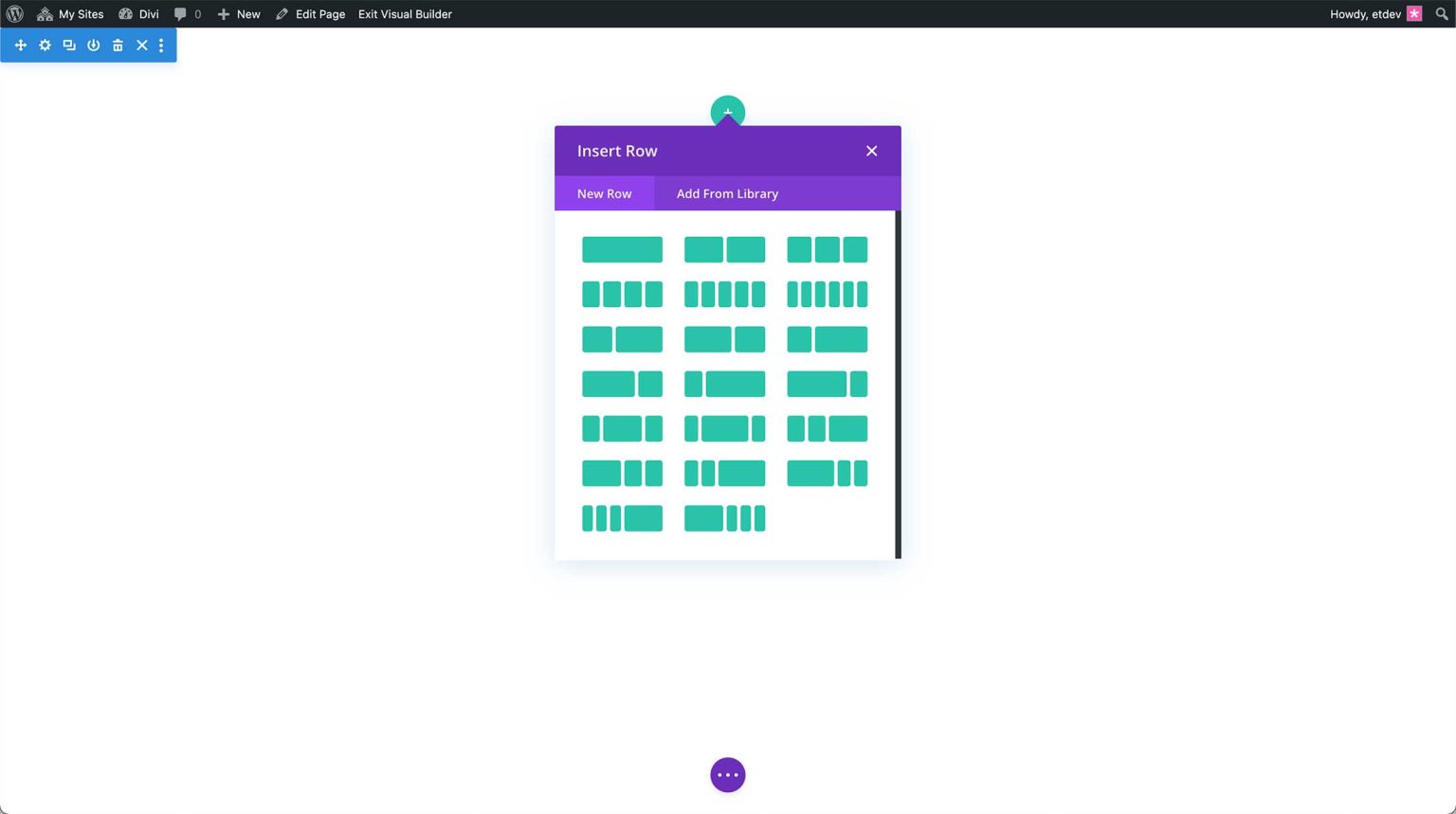
Divi, on the other hand, uses an on-page visual editor. You click directly on the content to edit it, and a floating toolbar gives you options. This gives more freedom, but beginners can feel overwhelmed because almost every element has multiple settings. It takes longer to learn, but once you understand it, Divi allows faster creative workflows.
Design & Customization Flexibility
Both Elementor and Divi are powerful in terms of design, but in very different ways.
Elementor lets you build pages section by section. You control spacing, column widths, fonts, colors, and backgrounds. Its pre-made templates and blocks make it easy to create professional designs quickly. You get structured control, which is ideal if you want a clean and organized page.
Divi focuses more on creative freedom. Almost every element on a page can be styled in detail. You can adjust fonts, sizes, spacing, backgrounds, shadows, hover effects, and animations for each module. Divi also comes with a huge library of ready-made layouts for entire pages or websites. This makes it perfect for designers who like to experiment, but it can feel too complex for beginners or users who just want to quickly build a simple page.
Performance and Page Speed
Page speed is crucial for user experience and SEO. Elementor is relatively lightweight, so pages usually load fast. Adding too many widgets can slow down your site, but using caching plugins and proper optimization usually solves the issue.
Divi generates more code by default, which can make pages heavier. This can affect loading times if your site is not optimized. While Divi offers a lot of design flexibility, it often requires more work to make pages fast.
Theme Compatibility
Elementor works with almost any WordPress theme. You can switch your theme without losing your page designs, making it very flexible if you like trying different themes or use lightweight themes like Astra or Hello Elementor.
Divi works best when paired with the Divi Theme. You can use it as a plugin with other themes, but some styling or layout options may not work as smoothly. For users who want to stick to one ecosystem and don’t plan to switch themes, Divi works very well.
Elementor or Divi: Which One Should You Pick?
Now that we’ve overviewed the key differences of both page builders, let’s determine which one suits your needs.
- For Beginners: Elementor is easier to use because it offers a clean drag-and-drop editor that’s easy to understand, making it ideal for users who are new to WordPress.
- For Speed & Performance: If website speed is important to you, Elementor is the better choice as it’s more performance-friendly by default.
- For Advanced Customization: Divi is the winner in these terms because it provides advanced design settings and visual controls, allowing you to customize layouts without writing custom CSS.
- WordPress Integration: You should pick Elementor since it integrates smoothly with most WordPress themes, plugins, and third-party addons, giving you greater flexibility.
Ultimately, the best page builder depends on your specific needs. Whichever you choose, both builders are excellent and capable of creating stunning websites! Consider all your website requirements and then choose accordingly.
FAQs
Q1: Can I use Elementor and Divi together?
Ans: Technically yes, but it’s not recommended. Using both on the same site can cause conflicts and performance issues. It’s best to choose one page builder.
Q2: Which is better for beginners: Elementor or Divi?
Ans: Elementor is generally better for beginners due to its simple interface, clean layout, and real-time editing experience.
Q3: Can I switch from Divi to Elementor?
Ans: Yes, but it requires rebuilding your pages. Divi uses shortcodes, and removing it may leave behind shortcode clutter. Manual redesigning is often needed.
Q4: Which page builder is better for agencies?
Ans: Divi is often preferred by agencies because of its unlimited site usage and lifetime pricing, making it cost-effective for long-term projects.