Best Post Grid Plugins for 2026
- PostX & Post Grid: Most feature-rich, with strong query controls and multiple pagination options.
- The Post Grid: Simple, focused layouts without extra complexity.
- Spectra: Provides basic post grids as part of a larger block toolkit.
- Content Views: Suitable for moderate grids and lists with filtering options.
- Ultimate Blocks: Lightweight and minimal, grid features are limited.
- Gutenkit: Flexible content display blocks, but grids are not its primary focus.
Post grid plugins help WordPress sites present content in a structured, scannable way. They are especially useful for blogs, magazines, and content-heavy websites.
Gutenberg is now the default WordPress editor, and most modern themes and plugins already support it. Compatibility is no longer a differentiator; it is the baseline expectation.
What matters in 2026 is how well a post grid plugin actually works inside the block editor. Ease of use, practical features, clean UI, and lightweight code now define real quality.
Many post-grid plugins look impressive on feature lists but feel clunky in real use. Extra settings, unclear controls, or heavy scripts often create more friction than value.
This list focuses on Gutenberg-based post grid plugins that are simple to set up, easy to manage, and reliable in everyday publishing workflows.
How We Tested These Post Grid Plugins
All plugins were tested using the Gutenberg editor only, without any page builders or third-party blocks. The goal was to recreate a realistic blogging and editorial workflow.
Each plugin was used to build a standard post grid with the same post data, categories, and layout intent. No custom CSS or performance plugins were added during testing.
We focused on how intuitive the block controls felt inside Gutenberg. Setup time, clarity of options, and overall usability were closely observed.
The evaluation was based on practical criteria, including:
✅ Gutenberg block experience and UI clarity: How easily the block could be added, configured, and understood without documentation.
✅ Layout flexibility and query control: Whether the plugin allowed meaningful control over grid styles, post order, and content sources.
✅ Filtering and pagination behavior: How smoothly filters, pagination, or load-more features worked in real scenarios.
✅ Frontend output and responsiveness: Whether the grid looked clean, consistent, and usable across different screen sizes.
✅ Perceived performance and code lightness: Any noticeable impact on page load or frontend weight during normal use.
✅ Update activity and maintenance signals: Plugin update frequency, compatibility signals, and overall project reliability.
Only plugins that performed consistently in real use were included in the final list.
Quick Comparison Between the Best Post Grid Plugins (2026)
Not all post grid plugins are created equal. In this section, we present a clear, side-by-side comparison of the top 7 Gutenberg-based plugins.
| Plugin | Layout Types | Filtering & Query | Pagination Options | Performance Impact | Elementor / Divi / Beaver Support | Best For |
| PostX | Grid, masonry, card, carousel | Strong query + filters | Pagination + Navigational + Load More | Low | ✅ / ✅ / ✅ | Robust Gutenberg grids with filters |
| The Post Grid | Grid, masonry, Carousel | Query controls, Filtering | Pagination, Navigation, Load more | Low | ✅ / ✅ / ✅ | Dedicated post grids with straightforward options |
| Spectra | Grid, masonry, carousel | Basic query options | Pagination via blocks | Low | ✅ / ✅ / ❌ | Flexible block layouts with post displays |
| Content Views | Grid, list | Moderate filters | Pagination | Low | ❌ / ❌ / ❌ | Simple post grids with filter and list views |
| Ultimate Blocks | Grid (limited) | Basic | Manual / None | Very low | ❌ / ❌ / ❌ | Lightweight blocks with minimal grid features |
| Gutenkit | Grid, masonry | Moderate | Pagination | Medium | ❌ / ❌ / ❌ | Gutenberg block addon with content display options |
| Post Grid | Grid, masonry, slider | Strong query + filters | Pagination + Load More | Medium | ❌ / ❌ / ❌ | Advanced query and filtering in grid layouts |
TL;DR: Key Takeaways from the Comparison Table
- PostX and Post Grid offer the most complete post grid features, including strong query controls and multiple pagination options.
- The Post Grid focuses on straightforward grid layouts with essential features, without extra complexity.
- Spectra works well for basic post grids but is part of a broader block toolkit, not a dedicated grid solution.
- Content Views is suitable for simple grids and lists with moderate filtering needs.
- Ultimate Blocks is lightweight and minimal, but grid features are limited.
- Gutenkit provides flexible content display blocks, though grid functionality is not its primary focus.
In-Depth Reviews: The 7 Best Post Grid Plugins
In this section, we take a closer look at each post grid plugin. Instead of feature lists alone, the focus is on usability, core functionality, and how well each plugin performs in everyday publishing scenarios.
Each plugin is reviewed using the same criteria to keep the comparison fair and practical. This helps highlight where a plugin genuinely excels and where it may fall short.
PostX

PostX is a versatile post grid plugin built specifically for Gutenberg, designed to organize and display blog posts, news items, and archives in attractive grid and card layouts. It aims to provide dynamic query controls and responsive pagination without requiring custom code or builders.
This plugin combines multiple post-oriented blocks with filtering and Ajax pagination to help editors showcase content easily. The interface stays within the native Gutenberg experience, which keeps the overall site-building process familiar.
Core Features
- 15 different blocks for post grid, list, and slider blocks of different layouts.
- Advanced query builder for custom post selection (categories, tags, popular, etc.).
- Ajax pagination with load-more and numeric navigation options.
- 53+ starter templates for blogs, magazines, news sites, etc.
- Responsive design with flexible layout variation
- Optional integrations with popular builders like Elementor and Divi.
Pros
- Strong post selection and filtering controls improve editorial flexibility.
- Ajax pagination improves frontend navigation without page reloads.
- A rich set of blocks beyond grids supports diverse content presentation.
Cons
- The breadth of blocks can feel overwhelming for users needing only simple grids.
- Medium learning curve for advanced query and filter settings
- Some features require premium addons for full control.
Active Installations: 40,000+
Rating: 4.8 out of 5
The Post Grid
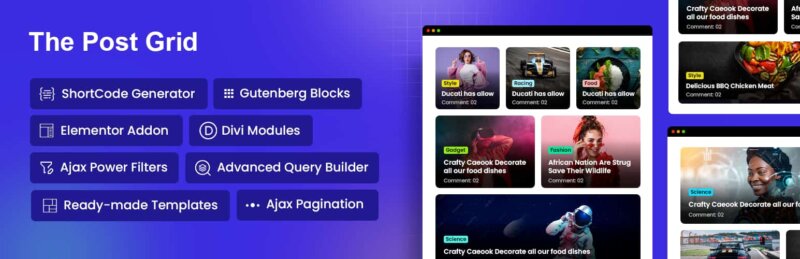
The Post Grid is a plugin that helps users create responsive grids for posts, pages, and custom post types. It emphasizes simplicity and straightforward layouts, making it easy to display content without extra learning overhead.
It provides essential query and filtering controls to organize posts by category, tag, or custom taxonomy. The interface stays within Gutenberg, allowing users to build grids quickly without touching code.
Core Features:
- Grid and masonry layouts.
- Query posts by category, tag, or custom taxonomy.
- Pagination with numeric or next/prev options.
- Lightweight and responsive design.
- Gutenberg block integration for easy placement.
- Supports basic styling and layout customization.
Pros:
- Easy to use for beginners and bloggers.
- Dedicated grid plugin, so features are focused.
- Lightweight and minimal performance impact.
Cons:
- Limited advanced filtering and query features.
- Less flexibility in design customization.
- Fewer layout variations compared to more robust plugins.
Active Installations: 100,000+
Rating: 4.7 out of 5
Spectra

Spectra allows users to display posts in grids, masonry, and carousel formats while keeping everything within the Gutenberg editor.
The plugin focuses on design flexibility, providing prebuilt layouts and customization options for colors, typography, and spacing. While it’s not a dedicated post grid plugin, its post display blocks are suitable for many blogging and content showcase scenarios.
Core Features:
- Multiple post display blocks (grid, masonry, carousel).
- Prebuilt templates and block designs.
- Customization of colors, spacing, and typography.
- Basic query options for categories and tags.
- Responsive design that works on all screen sizes.
- Integration with other Spectra blocks for flexible layouts.
Pros:
- Strong design flexibility for Gutenberg users.
- Easy to set up and visually customize.
- Lightweight and performs well on most sites.
Cons:
- Query and filtering options are limited compared to dedicated post grid plugins.
- Not focused solely on grids, so advanced features may be missing.
- Some advanced layouts require combining with other blocks.
Active Installations: 1 Million+
Rating: 4.9 out of 5
Content Views
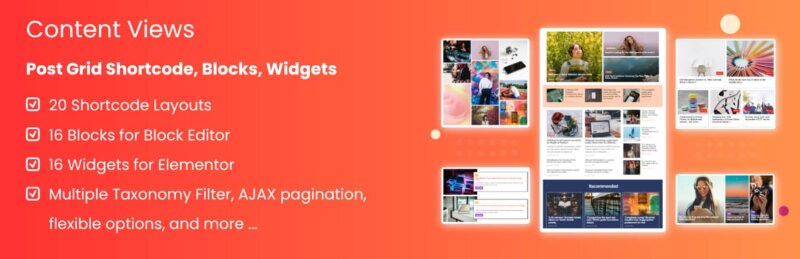
Content Views is a flexible plugin that helps users display posts, pages, and custom post types in grid and list layouts within Gutenberg. It focuses on simplicity while offering filtering and sorting options that work without coding.
The plugin integrates with Gutenberg through blocks and shortcodes, allowing editors to insert grids wherever needed. It supports multiple display styles and works reliably across themes.
Core Features:
- 17+ Grid and list layout options.
- Filtering by category, tag, and custom taxonomy.
- Pagination support.
- Simple shortcode and block usage.
- Responsive design.
- Works with posts, pages, and custom post types.
Pros:
- Straightforward setup for non‑technical users.
- Strong filtering controls for content organization.
- Works well with most themes without extra tweaks.
Cons:
- Design customization options are limited.
- Advanced layout styles (like masonry) require creative workarounds.
- Some features are available only in the pro version.
Active Installations: 100,000+
Rating: 4.8 out of 5
Ultimate Blocks
Ultimate Blocks is a comprehensive Gutenberg block collection that includes a basic plugin block among many others. It is designed for content creators who want flexible blocks for various content types, not just grids.
The post grid functionality is part of a larger set of content blocks, which makes it useful for blogs that need enriched content layouts. However, it does not specialize in advanced query or filtering controls, focusing instead on simplicity.
Core Features:
- 36+ Post grid block for displaying posts.
- Multiple content and layout blocks (tabs, review blocks, etc.).
- Basic customization options (colors, spacing).
- Lightweight and performance‑friendly.
- Responsive by default.
- Easy Gutenberg integration.
Pros:
- Great suite of blocks for diverse content needs.
- Very lightweight with minimal performance impact.
- Easy to use for beginners.
Cons:
- Grid features are basic compared to dedicated plugins.
- Limited query and filter controls.
- Less design flexibility for grids.
Active Installations: 50,000+
Rating: 4.9 out of 5
Gutenkit

Gutenkit is a block addon that includes a content display block suitable for creating simple post grids within the Gutenberg editor. It is designed to extend Gutenberg with additional blocks rather than act solely as a post grid plugin.
The plugin offers layout and styling options while staying lightweight and easy to use. Its grid block works well for basic content showcases, but lacks some advanced query controls seen in purpose‑built grid plugins.
Core Features:
- 65+ Grid and masonry block layouts.
- Basic post display settings.
- Customizable colors and spacing.
- Responsive output for all devices.
- Collection of additional Gutenberg blocks.
- Lightweight and theme‑friendly.
Pros:
- Easy to use with Gutenberg’s native interface.
- Includes a broader set of useful blocks beyond grids.
- Minimal performance impact.
Cons:
- Filtering and query options are limited.
- Not focused on post grids as a primary use case.
- Design flexibility is basic compared to dedicated plugins.
Active Installations: 50,000+
Rating: 4.5 out of 5
Post Grid

Post Grid is a dedicated post grid plugin that lets users create responsive grid, masonry, and slider layouts for posts and custom post types. It focuses on providing powerful query controls and flexible display options without requiring code.
The plugin integrates smoothly with Gutenberg, offering users the ability to select content dynamically and present it in different layouts. Its filter and pagination controls make it suitable for blogs, portfolios, and content hubs.
Core Features:
- Grid, masonry, and slider layout options.
- Strong query filters for category, tag, and custom taxonomy.
- Pagination and Ajax load‑more options.
- Responsive design that adapts to screen sizes.
- Simple Gutenberg block integration.
- Works with posts and custom post types.
Pros:
- Excellent query and filter control for content selection.
- Multiple layout styles, including sliders.
- Solid pagination options.
Cons:
- Interface feels slightly dated compared to newer block plugins.
- Some layouts require extra styling for visual polish.
- Premium features are behind paid extensions.
Active Installations: 30,000+
Rating: 4.6 out of 5
Performance & Output Observations
- Lightweight in real use: Ultimate Blocks and Gutenkit felt the lightest during editing and frontend rendering, with minimal scripts and fast load times. Spectra also performed well when grids were kept simple.
- Noticeable overhead: PostX and Post Grid introduced slightly more assets due to advanced features like filtering and pagination. The trade-off is justified for content-heavy or dynamic layouts.
- Frontend markup quality: Dedicated grid plugins produced more structured and predictable HTML, which is easier to style and maintain. Block collections tended to generate simpler markup with fewer wrapper elements.
- Mobile behavior consistency: Most plugins handled responsive layouts reliably, but PostX and Spectra offered more consistent control over spacing and column behavior on smaller screens.
What Real Users Say
To balance feature claims with real-world experience, this section highlights feedback from actual WordPress users across community platforms. These insights reflect day-to-day usage rather than marketing promises.
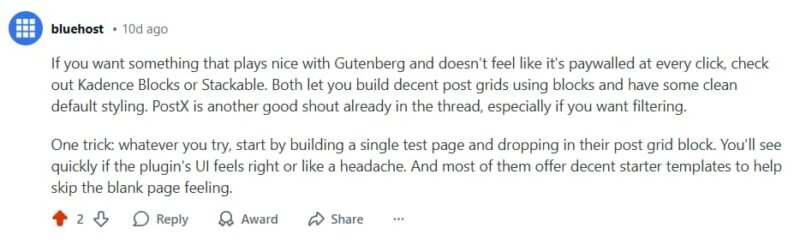
The web hosting company Bluehost suggests trying PostX, Kadence Blocks, and other tools for post grids.

Another user commented on Reddit: “PostX is pretty powerful. Highly recommend it.”
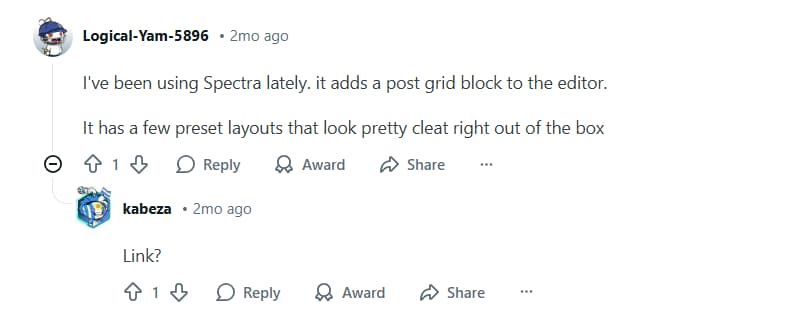
A user found Spectra very useful.

Another user recommended the Post Grid and GutenKit.
Overall, community feedback aligns closely with practical testing. Tools that stay focused, perform well, and respect the native editor experience tend to earn long-term trust from users.
Which Post Grid Plugin Should You Choose?
Choosing the right post grid plugin depends on how much control you need and how complex your content structure is. All the plugins reviewed work with Gutenberg, but they serve different use cases.
If you need advanced grid control and scalability:
✅ PostX – Best for feature-rich grids with filters, pagination, and dynamic layouts.
✅ Post Grid – Strong choice for complex queries, masonry layouts, and content-heavy sites.
If design flexibility is your main priority:
✅ Spectra – Ideal when visual styling matters alongside grid layouts. Works well for marketing pages, blogs, and editorial layouts.
If you prefer simplicity and ease of use:
✅ Content Views – Clean interface with essential filtering and layout options. Suitable for blogs and small to mid-size content libraries.
If you want lightweight, multipurpose block collections:
✅ Ultimate Blocks – Good for basic grids plus utility blocks.
✅ Gutenkit – Works well when grids are secondary to other block needs.
Quick decision guide:
👉 Choose a dedicated post grid plugin (like PostX) for large sites or dynamic content.
👉 Choose a block collection plugin for simpler layouts and performance efficiency.
The best choice ultimately depends on your editorial workflow, content volume, and design expectations. Prioritize usability, clean output, and performance over feature overload.
FAQs: Best Post Grid Plugins for WordPress
What is the Gutenberg-based best post grid plugin?
There is no single “best” option for everyone, but PostX, Content Views, and Spectra are among the most reliable Gutenberg-based post grid plugins, each offering native blocks, flexible layouts, and solid performance for different content needs.
Do I need a post grid plugin if I already use Gutenberg?
Yes, Gutenberg’s core Query Loop block is limited. Post grid plugins add advanced layouts, filtering, pagination, and design controls that are not available by default.
What should I look for in a Gutenberg-friendly post grid plugin?
Key factors include native block integration, flexible query controls, responsive layouts, pagination options, clean output markup, and regular maintenance.
Is it safe to use more than one post grid plugin on the same site?
It is technically possible, but not recommended. Multiple grid plugins can increase complexity, introduce styling conflicts, and negatively affect performance.
Do post grid plugins work with custom post types and taxonomies?
Most modern post grid plugins support custom post types and taxonomies, but the level of query control varies. Always check whether advanced filtering is available.
Are free post grid plugins enough for most websites?
Free plugins are sufficient for basic layouts, but advanced use cases such as dynamic filtering, magazine layouts, or design flexibility often require premium features.
Final Verdict: What Post Grid Plugin Actually Holds Up in 2026
In 2026, post grid plugins are no longer judged by basic Gutenberg compatibility. The real differentiators are ease of use, clean UX, essential features, and how lightweight the output remains.
Dedicated solutions like PostX and Post Grid stand out for handling complex layouts and dynamic content at scale. Lighter block collections work well for simpler needs, but they fall short when grids become central to content strategy.
The best post grid plugin is the one that fits your workflow, not the one with the longest feature list. Practical usability and performance are what truly hold up going forward.